Mnemio gives every employee an AI agent with its own browser, files and apps, connects those agents through a shared company brain, and gives admins the controls to run it all. Every screen on this page is the real product.
It works across your tools, not just in a chat box.
Each person gets their own agent. Ask for the outcome, and it does the steps, then brings back the result and anything it needs you to decide.
Its own browser, for portals with no API
Real Chrome, for groups your admin allows. When a site needs a login, you sign in yourself in a live window, including one-time codes, and your password stays private.
The agent carries on from there, reading and downloading what it needs
Sign-ins last across restarts, so it doesn't keep asking
agent.acmefoods.in/connections/browser
In every agent
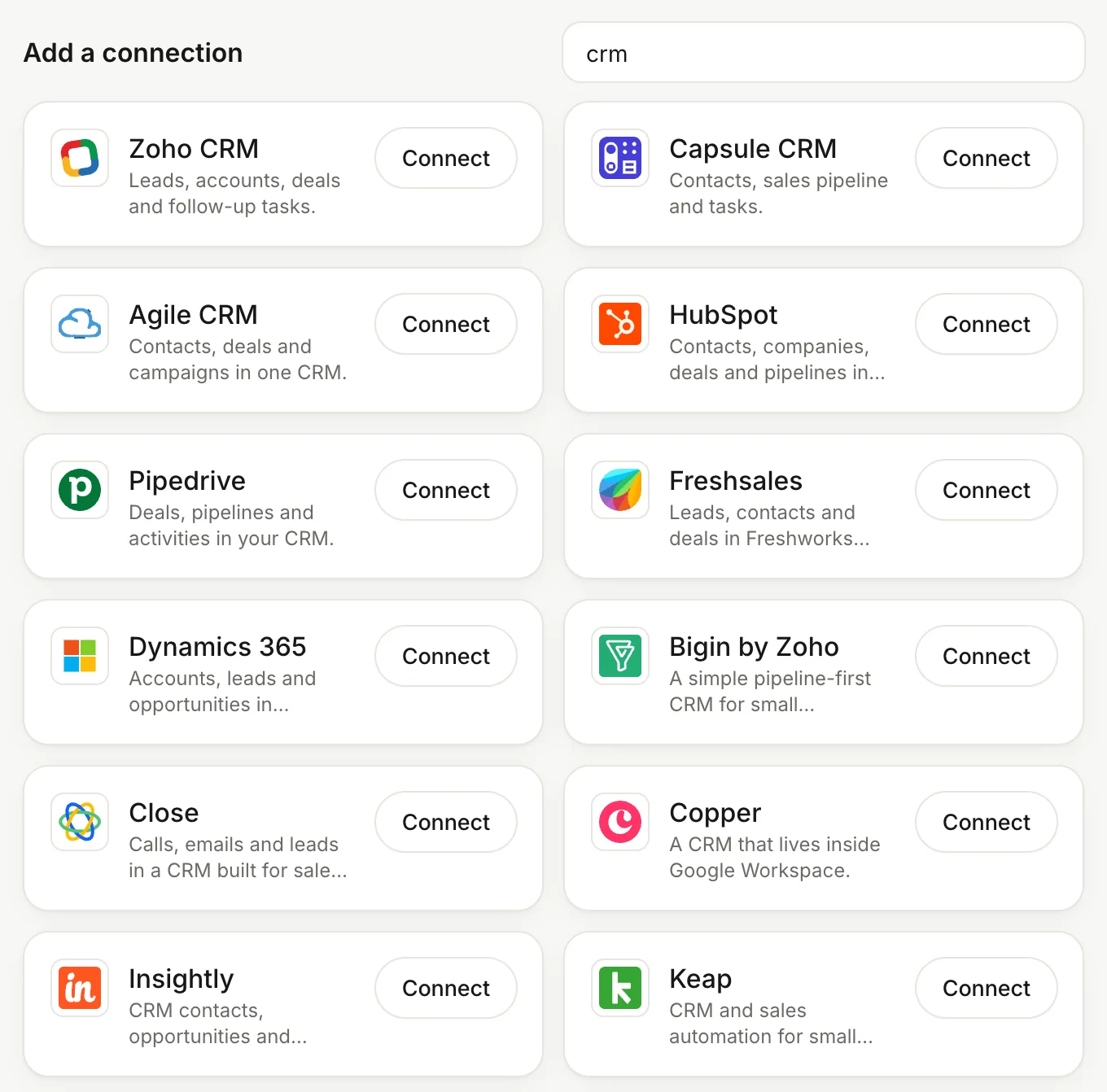
1,500+ apps1,500+ appsGmail, Outlook, HubSpot, Salesforce, QuickBooks, Xero and many more. Each person connects their own accounts, and admins choose which apps each group may use.
agent.acmefoods.in/connections/apps
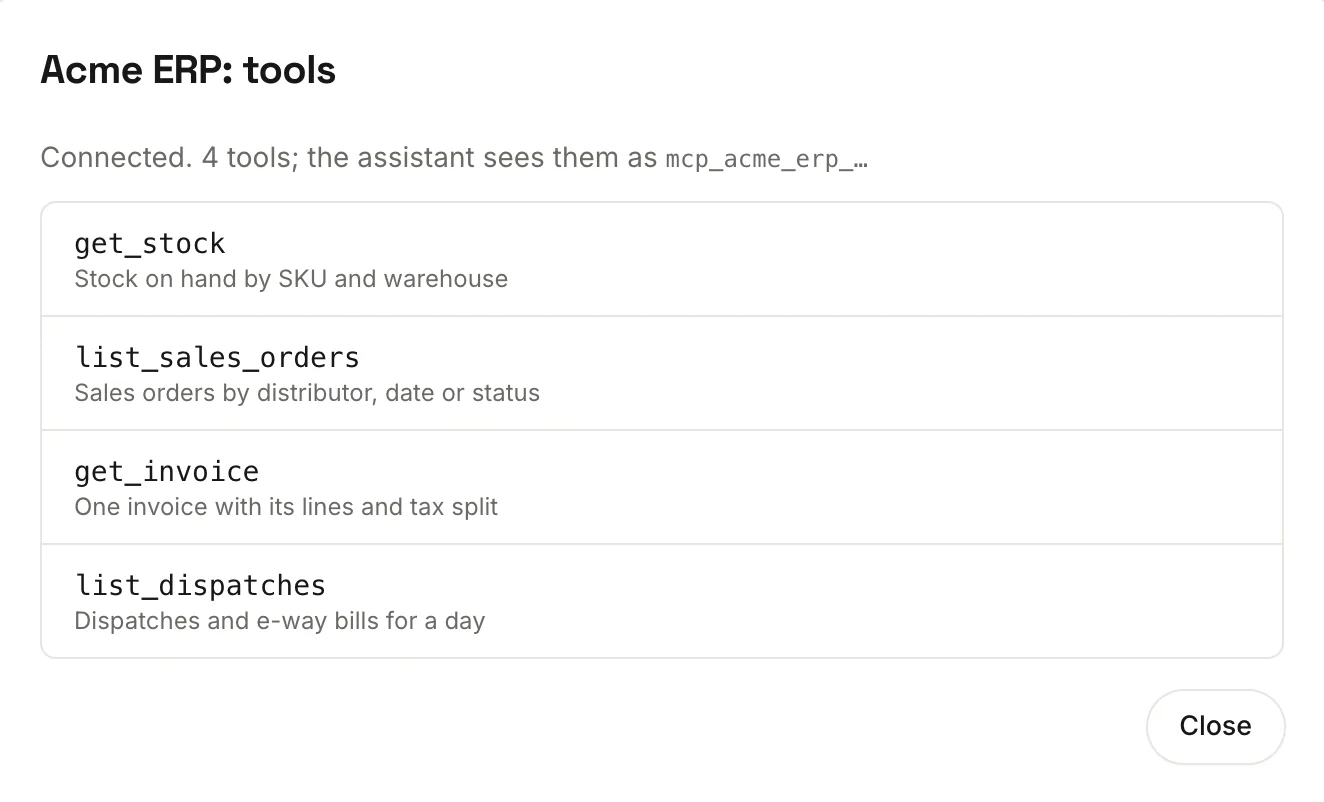
Your own systemsYour own systemsCompany tools connect through MCP, so every agent can reach your own systems once an admin adds them. Press Test to see what each one offers.
agent.acmefoods.in/admin/workspace/mcp
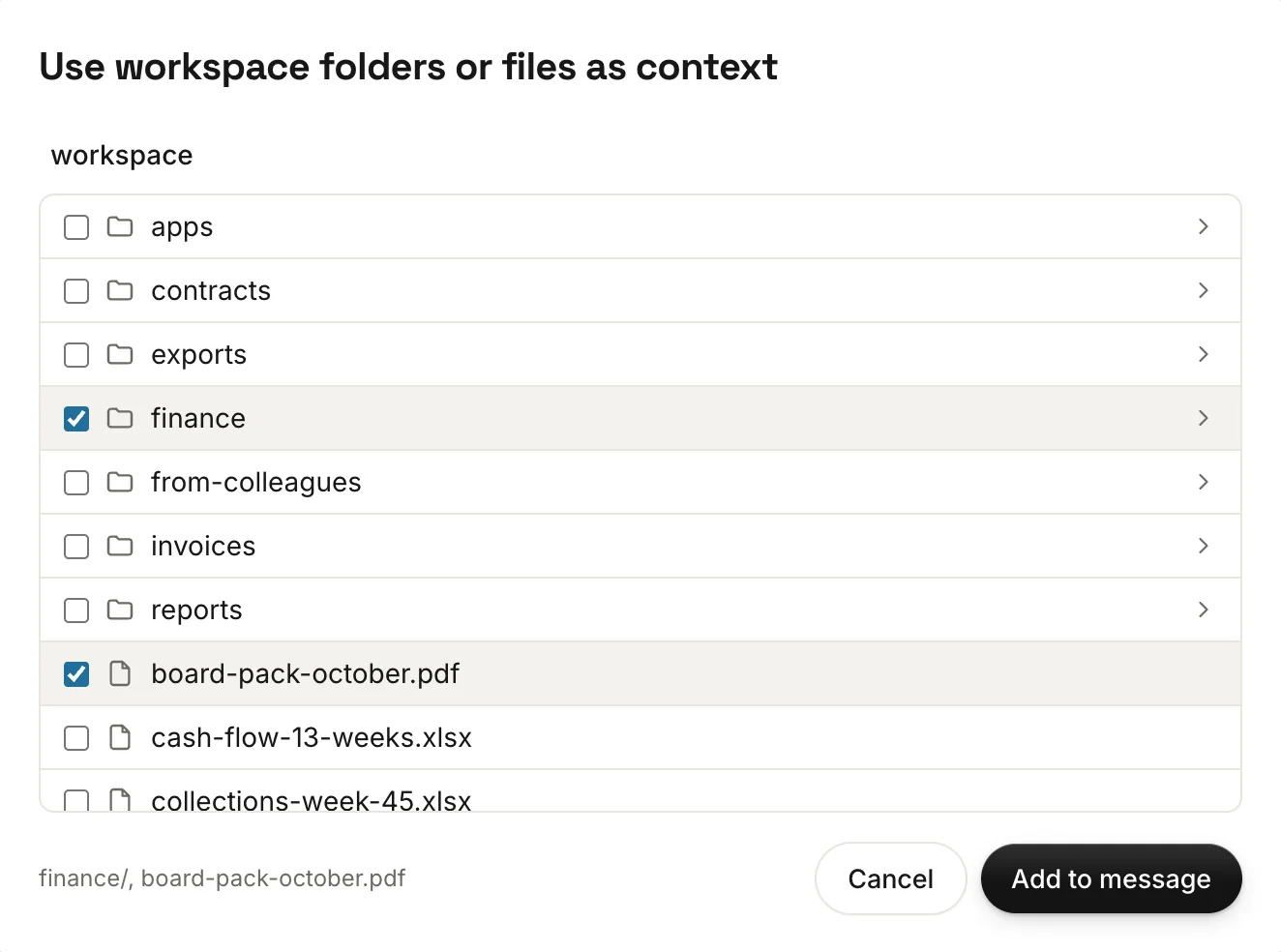
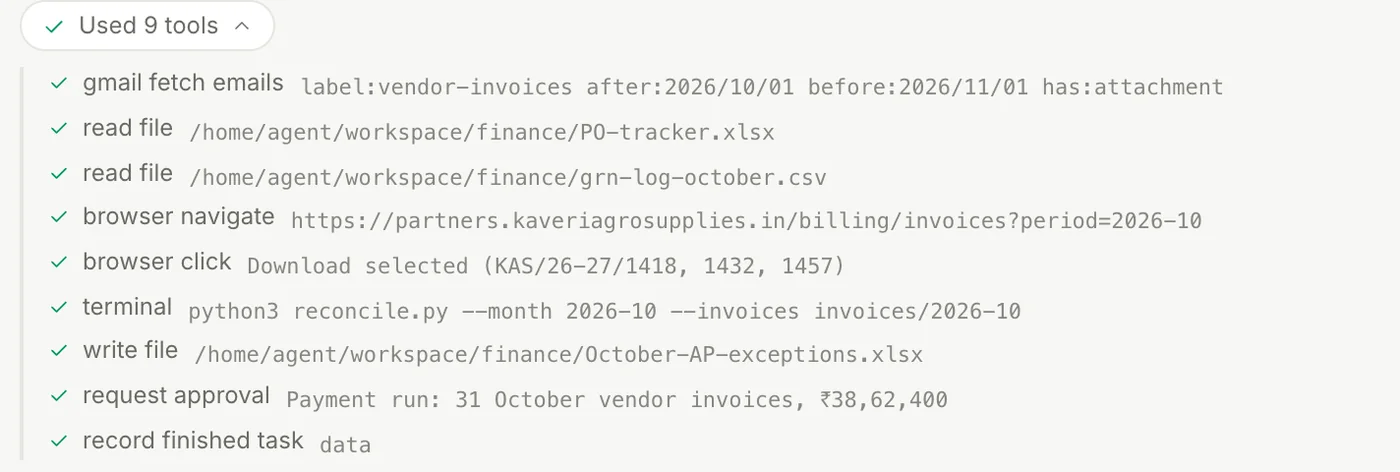
Chat that shows its workChat that shows its workAttach documents and spreadsheets, point it at folders with the Context button, and watch each step as it works. Stop it any time, and search all your chats.
agent.acmefoods.in/chat
Its own filesIts own filesA private workspace for spreadsheets, PDFs and working files. Upload whole folders, preview, rename, and download the results.
agent.acmefoods.in/files
A sandboxed terminalA sandboxed terminalIt writes and runs scripts for reconciliations, clean-ups and reports, inside its own sandbox. Admins choose which command-line tools each group gets.
agent.acmefoods.in/chat
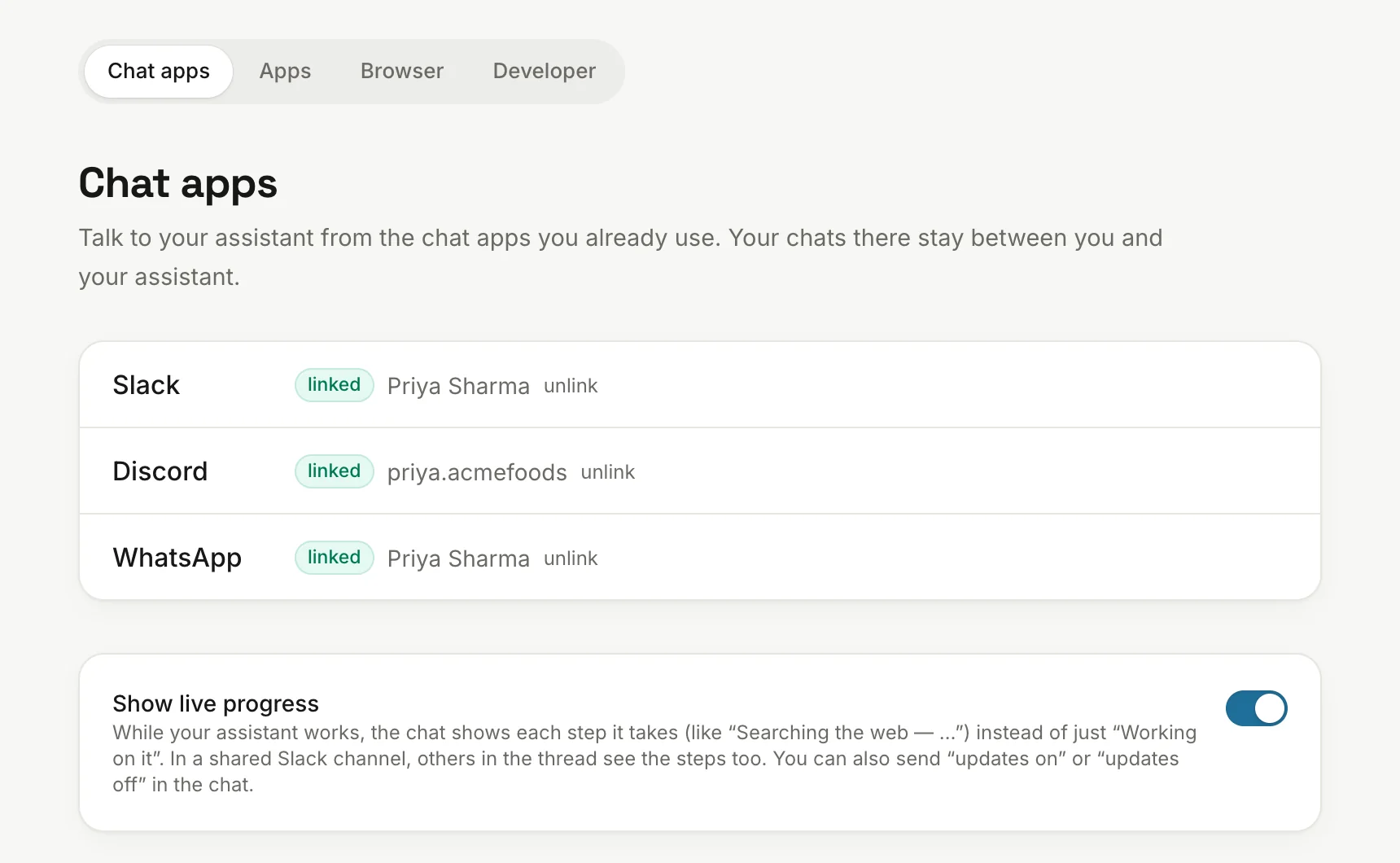
Slack, WhatsApp, DiscordSlack, WhatsApp, DiscordTalk to your agent where you already are. Send it files, and the files it makes come back as attachments.
agent.acmefoods.in/connections/chat
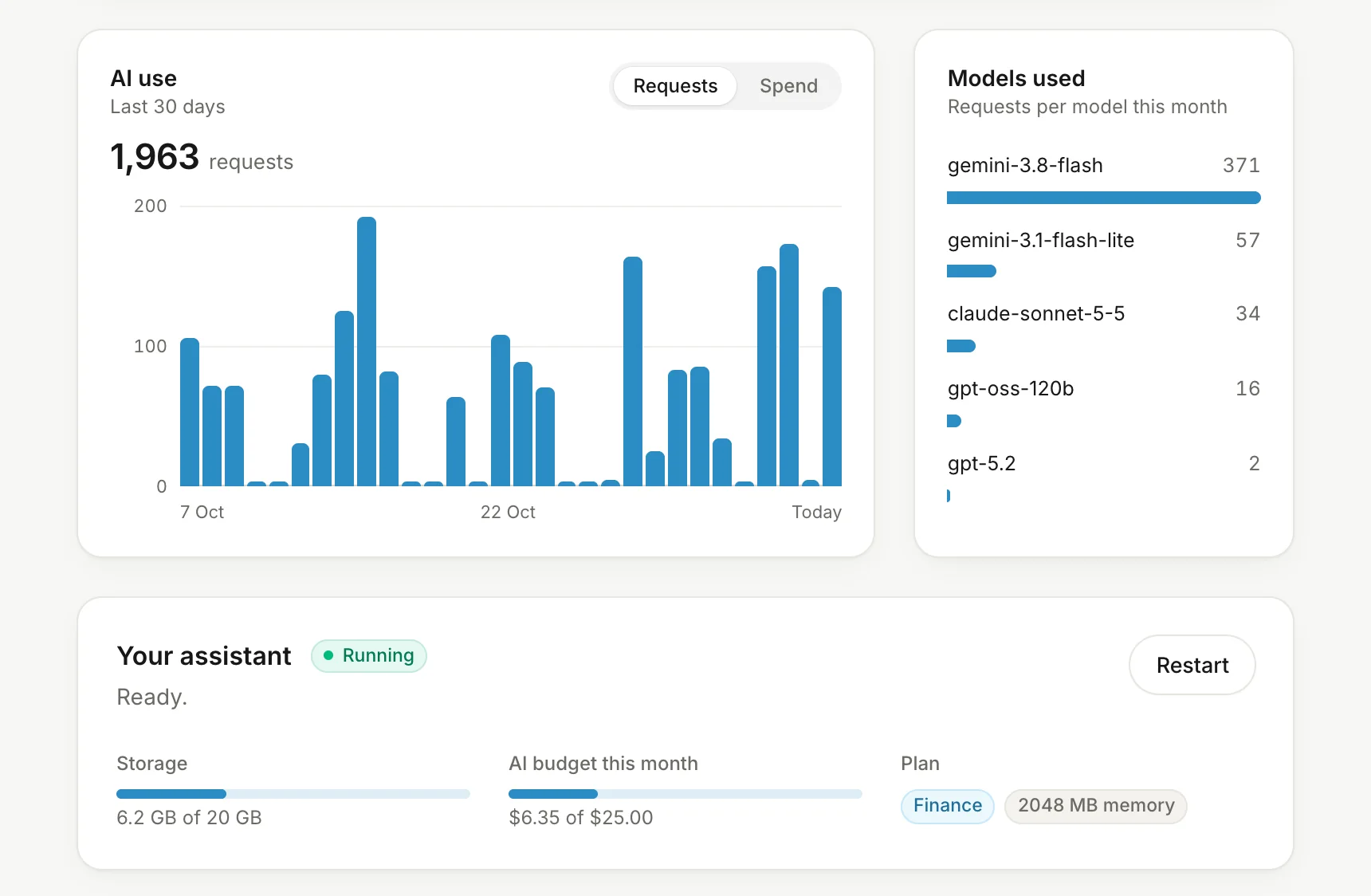
Your dashboardYour dashboardYour AI use over the last 30 days, the models you used, your storage and budget, and recent chats and task runs.
agent.acmefoods.in/dashboard
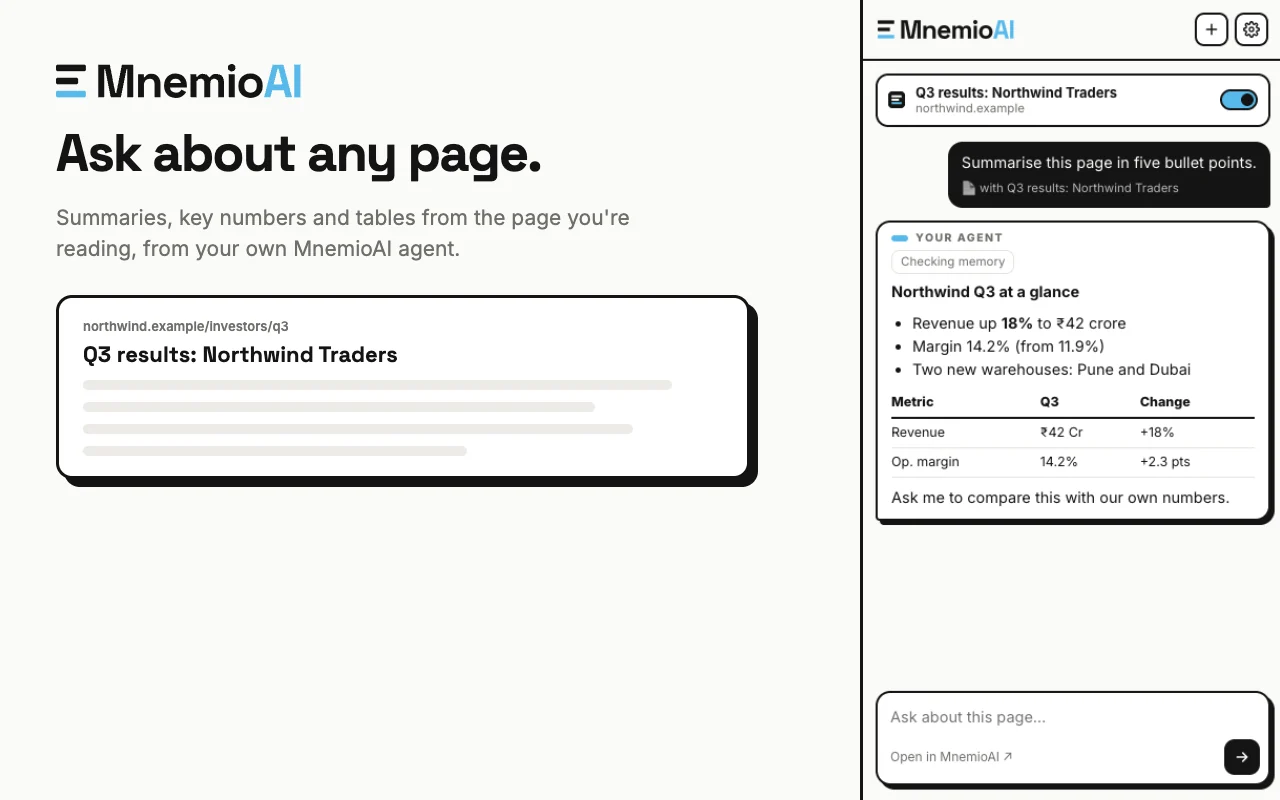
Chrome extensionChrome extensionA side panel to chat about the page you’re reading. Get the extension
northwind.example/investors/q3
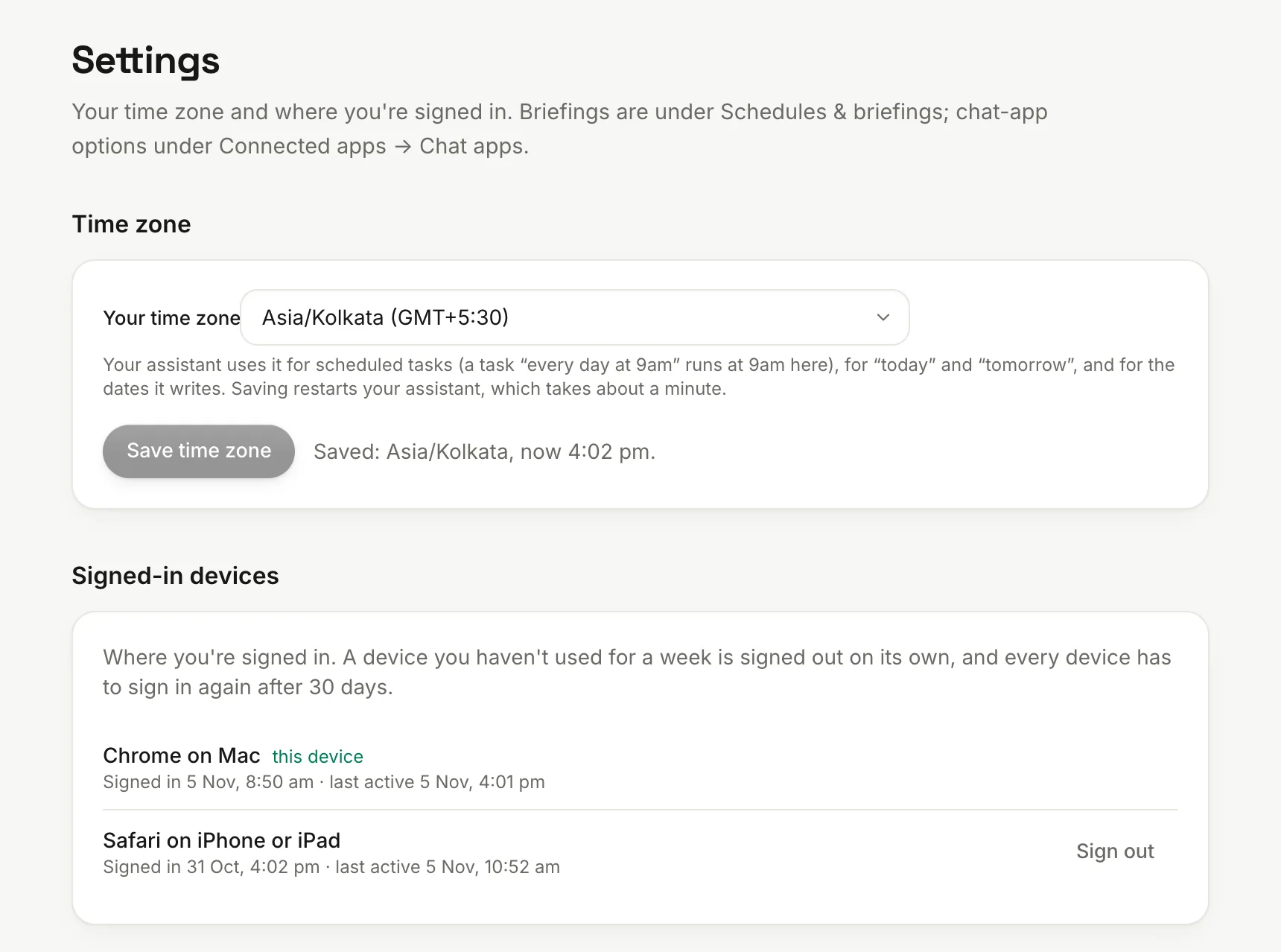
Your time zone and devicesYour time zone and devicesSchedules follow your time zone. See every device you're signed in on, and sign out of any of them.
agent.acmefoods.in/settings
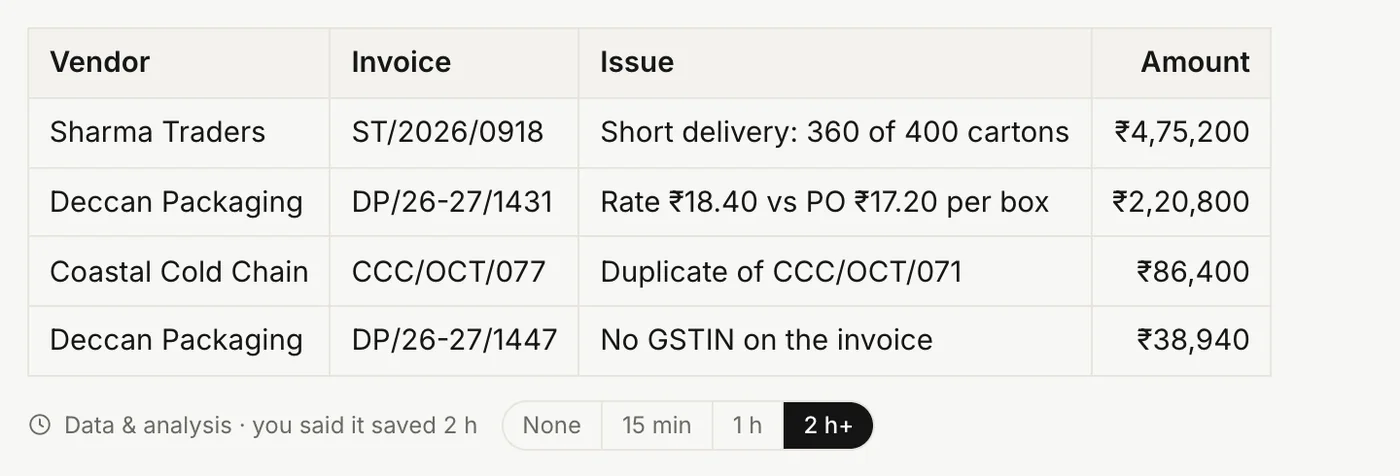
Say what it saved youSay what it saved youUnder each finished task, say how much time it really saved. Your answer counts instead of the standard time.
agent.acmefoods.in/chat
Also in every agent
Web searchfor what isn't in your files and apps
Helper agentsfor parts of a bigger job
Images and speechgenerated when a task needs them
A restart buttonon your dashboard, if it ever seems stuck
Approvals
People decide what matters.
Agents prepare the work and bring you the decision, wherever you happen to be.
Approve or reject in one tap
When a task ends in something you should OK, the agent does the preparation first, then shows you what it prepared and exactly what will happen.
Its rules make it ask before it sends an email or prepares a payment
Decide in the app, Slack, Discord or WhatsApp. The first decision counts everywhere
Add a note, like “yes, but send it tomorrow”
Every approval and rejection goes in the audit log
agent.acmefoods.in/approvals
Agents ask each other. The owner approves.
Your agent can ask a colleague's agent for what it needs, instead of you chasing them on chat. Whatever would go back is shown to its owner first, exactly as it will be sent.
Enforced by Mnemio, not left to the AI
If they reject it, nothing is sent
The answer comes back to the chat you asked from, and files land in your workspace
agent.acmefoods.in/approvals
Company brain
Knowledge that stays with the company.
What each agent learns is private by default. Under rules your admins write, useful knowledge reaches the team or the whole company, and any assistant in that group can recall it.
Everything your team has learned, in one place
Browse what your team and company know by topic, and see who shared each fact. Your agent uses all of it when it works, so nobody has to ask the same question twice.
Facts are rewritten without personal detail
Clients, suppliers, processes and decisions, each with its source
When someone leaves, what they shared stays with the company
agent.acmefoods.in/memory/team
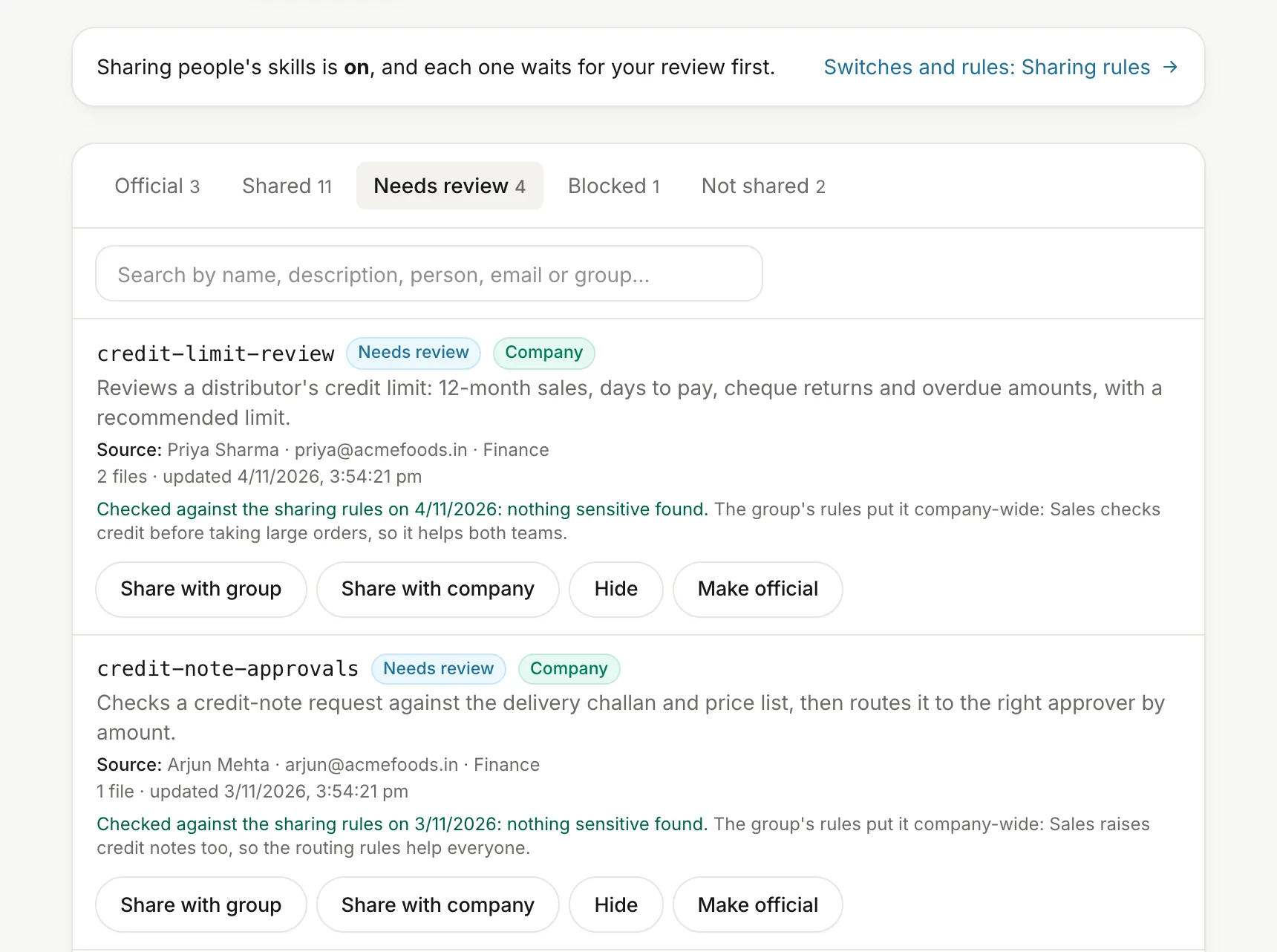
Sharing rules in plain words
Admins write what may be shared and how far: a group or the whole company. Test the rules on an example before you rely on them.
An AI checks new memories against the rules and rewrites what it shares
Personal things, secrets and HR matters stay private. When unsure, it keeps the memory private
Each group can have its own level
agent.acmefoods.in/admin/knowledge/rules
In the company brain
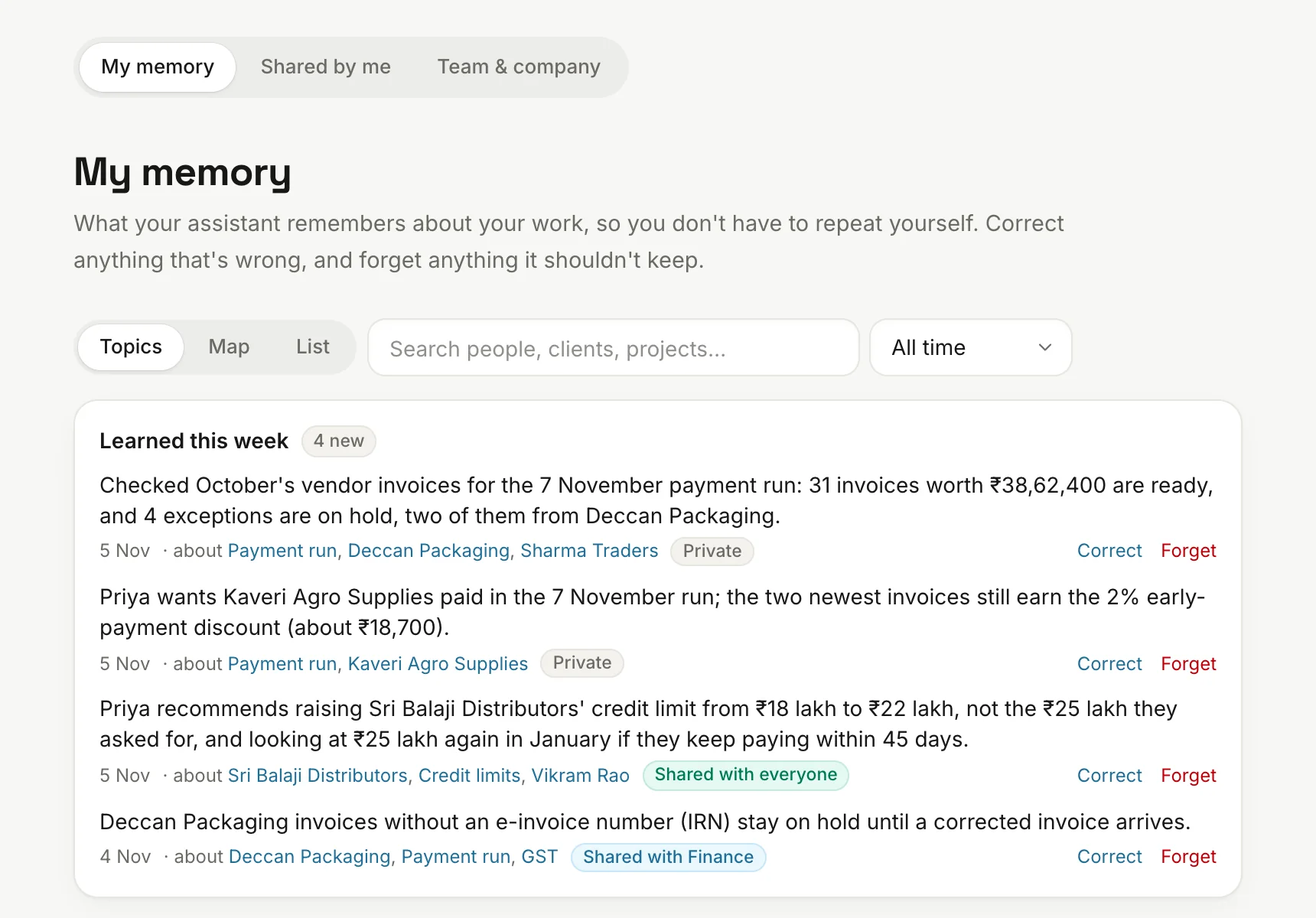
Private by defaultPrivate by defaultYour agent learns your clients, your projects and how you like things done. That memory is yours, and you can correct it or have it forgotten.
agent.acmefoods.in/memory/mine
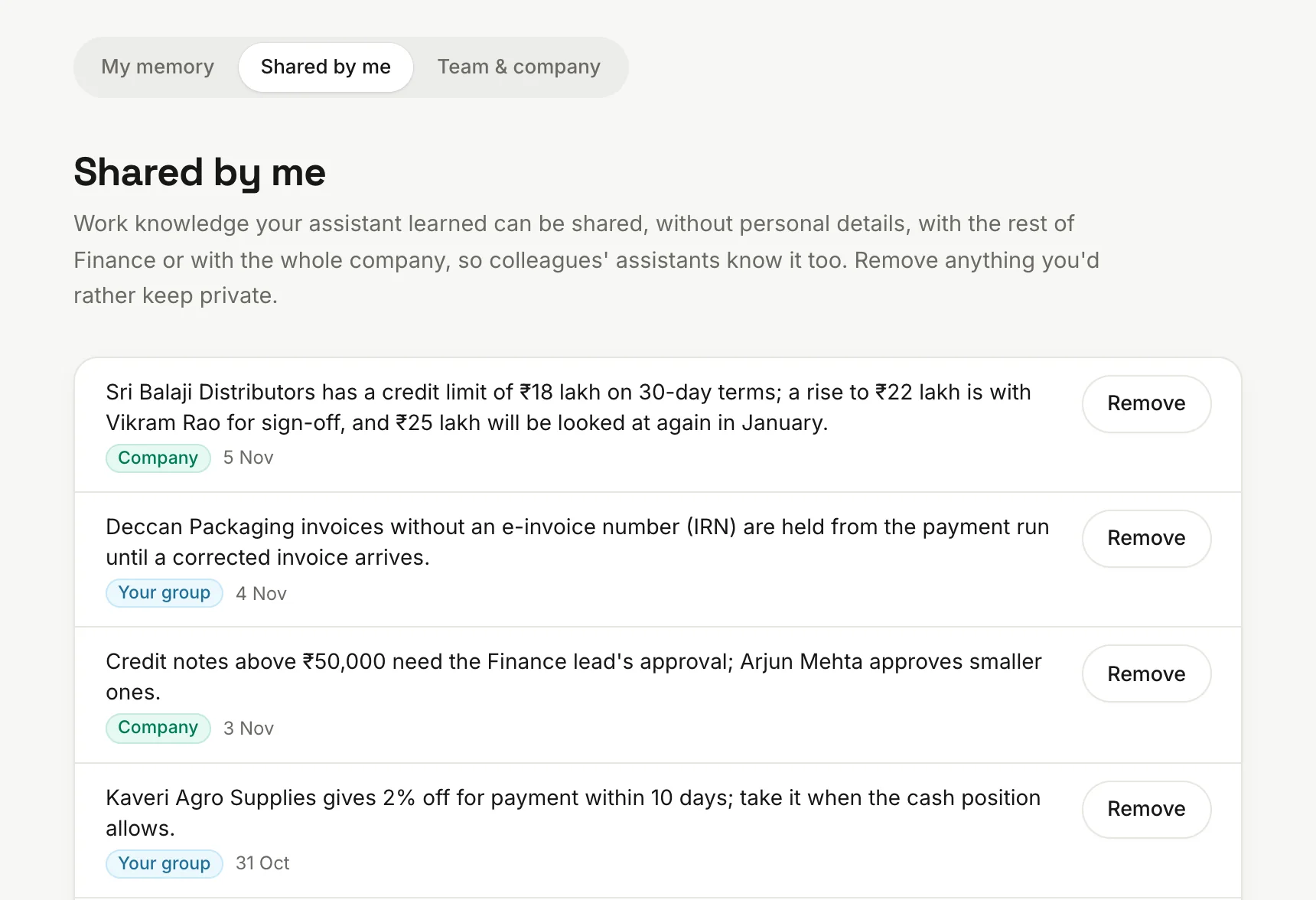
Shared by meShared by meSee everything that came from your agent, and remove any of it.
agent.acmefoods.in/memory/shared
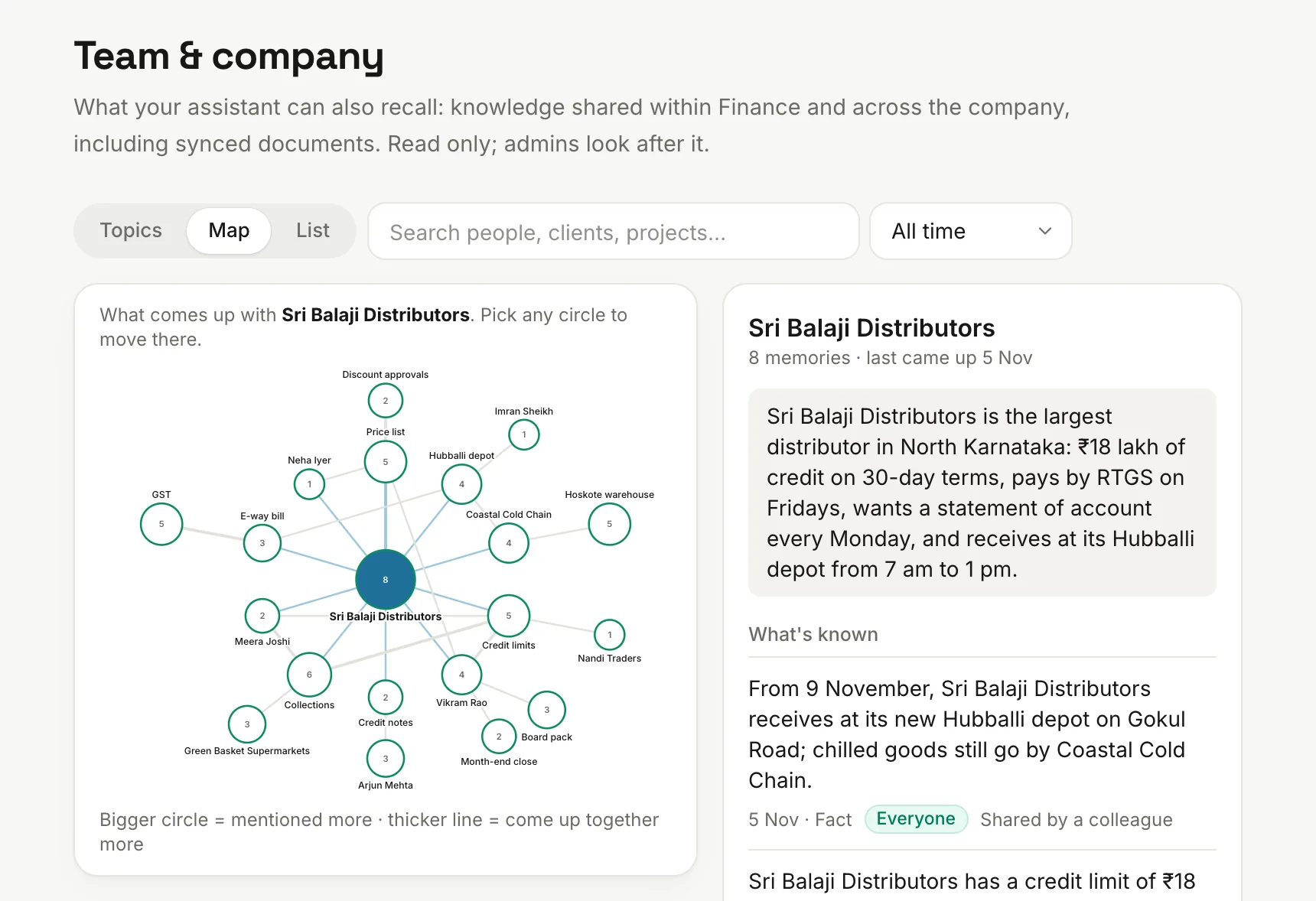
A map of what's knownA map of what's knownSee how people, clients and topics connect, and open any of them.
agent.acmefoods.in/memory/team
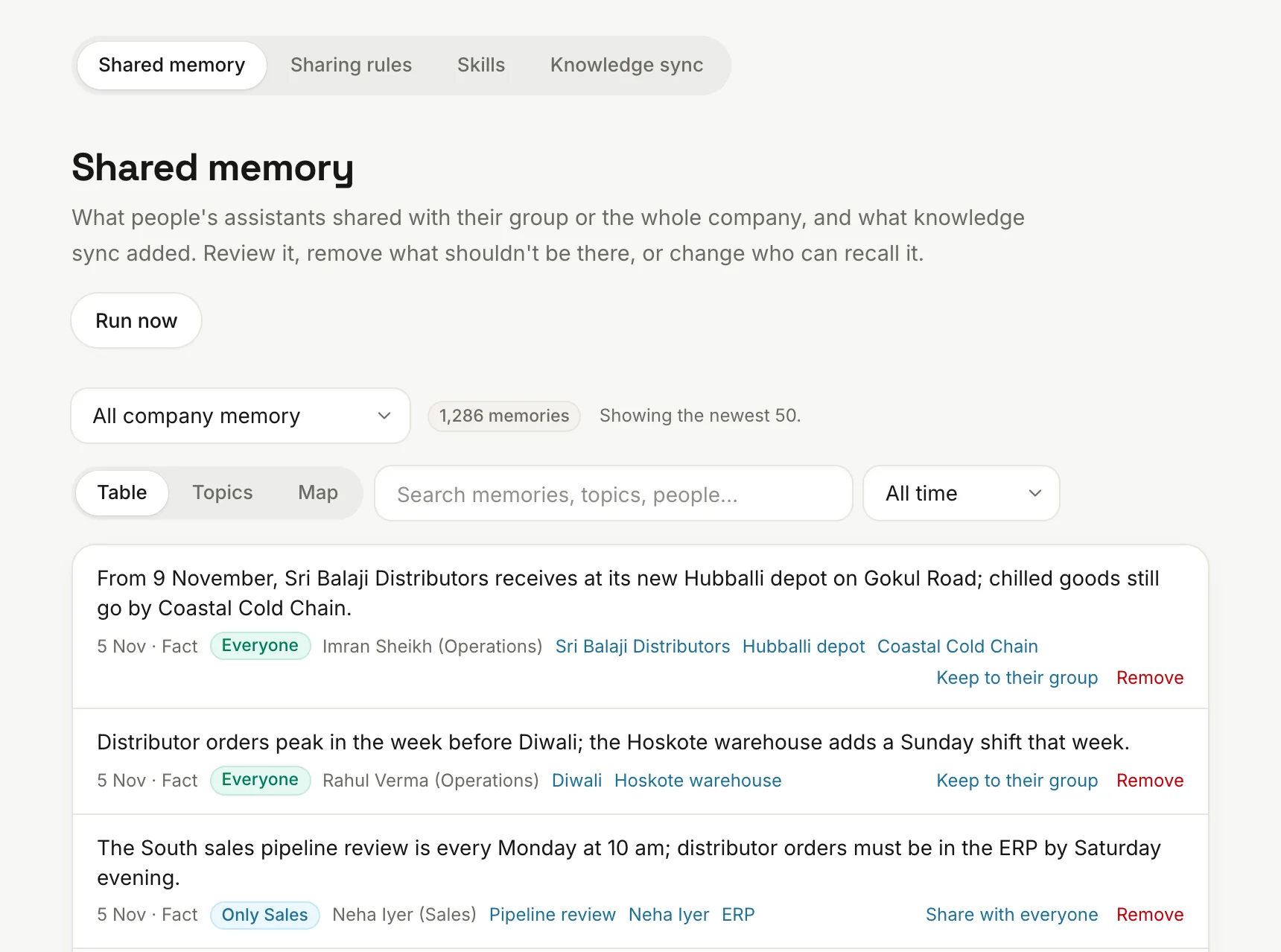
Admins review itAdmins review itSee everything that was shared and who shared it, change who can recall it, or remove it.
agent.acmefoods.in/admin/knowledge/shared
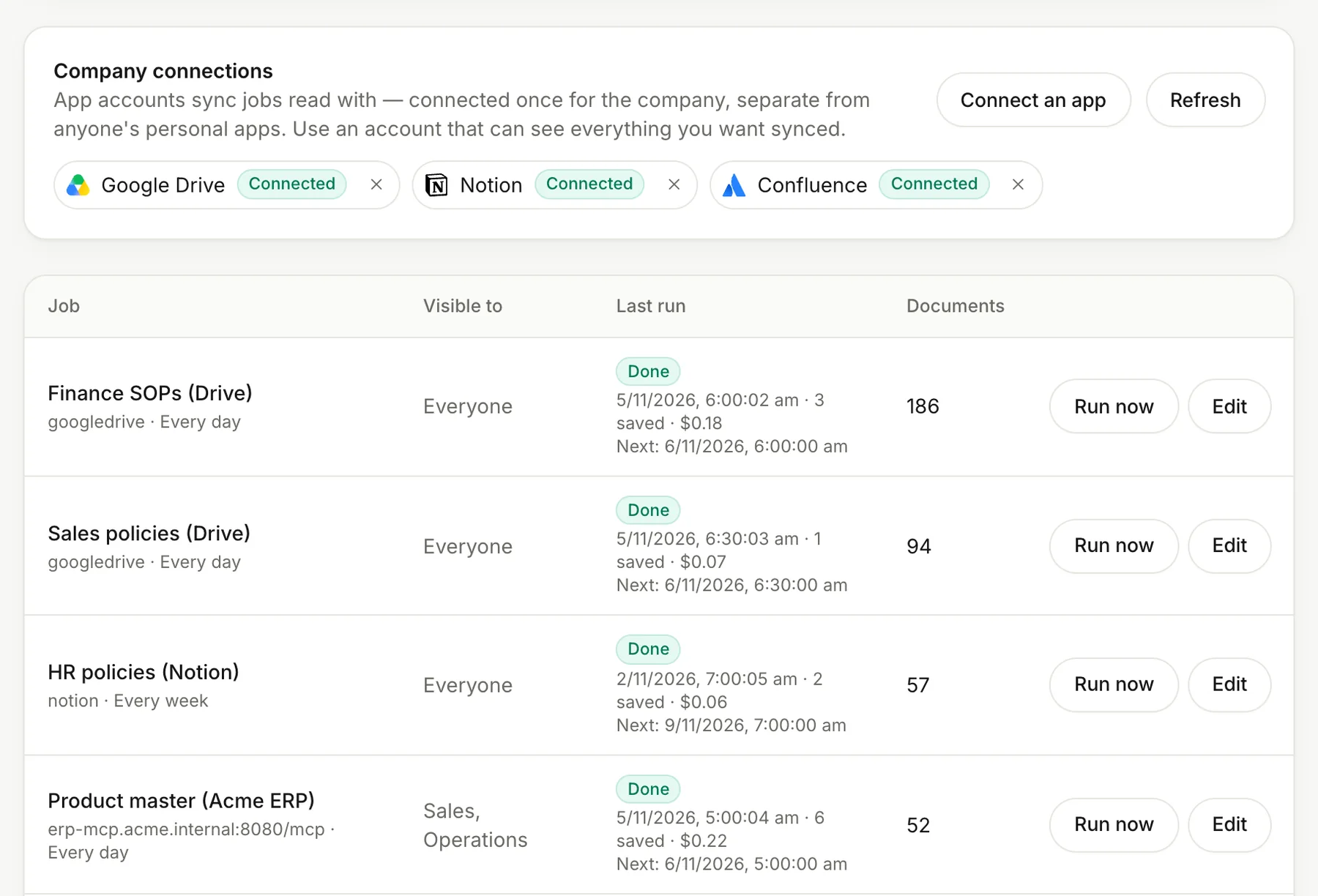
Knowledge syncKnowledge syncBring in Notion, Confluence, Slack, Google Drive or any MCP source: read-only, on a schedule, limited to the groups you choose. It reads with company accounts an admin connects, never personal ones.
agent.acmefoods.in/admin/knowledge/sync
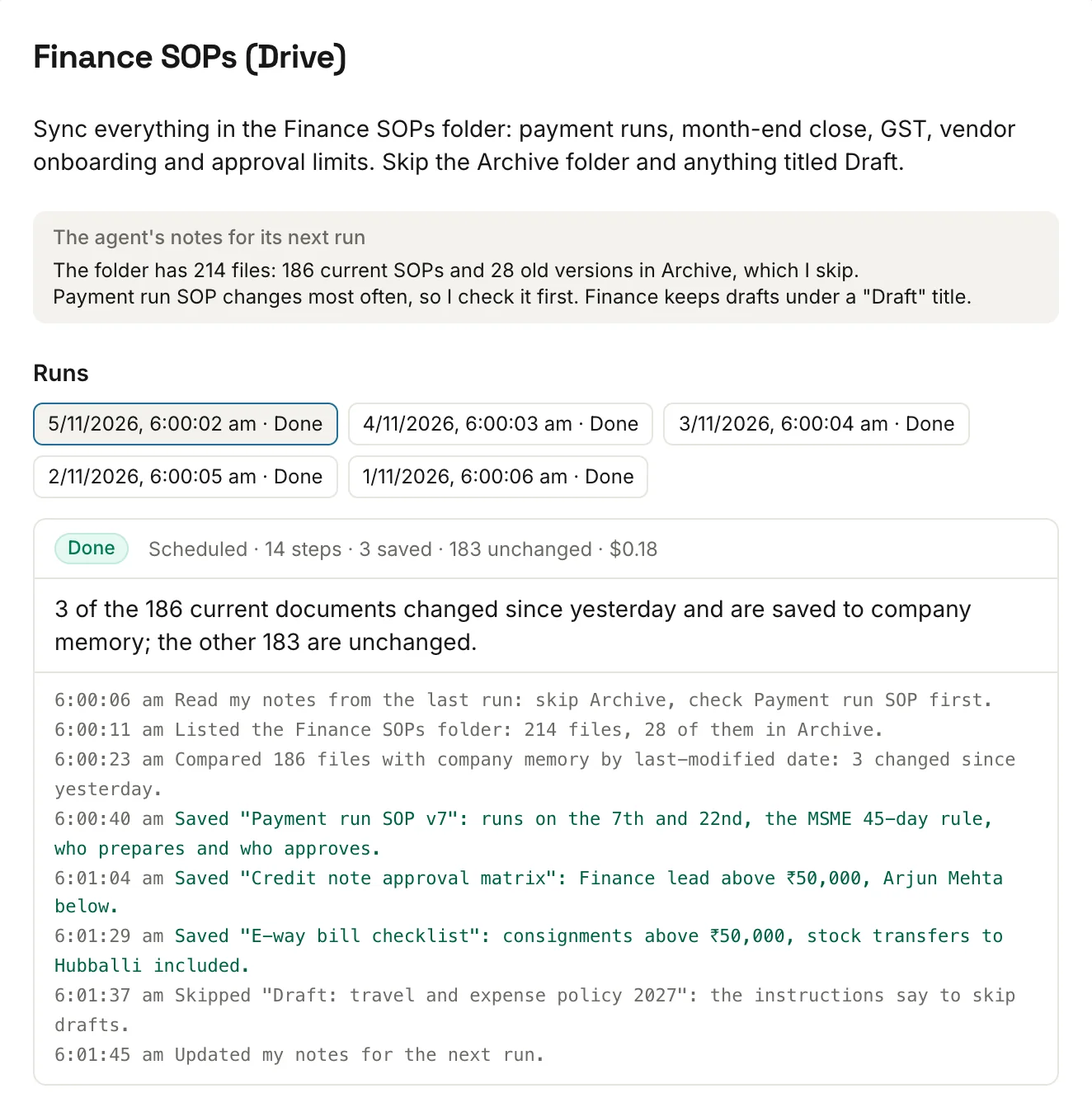
Every sync, step by stepEvery sync, step by stepSee what each run looked at, what it saved or skipped, and what it cost. Each job has limits on documents and spend. Anyone can ask their agent for a new job, and an admin approves it.
agent.acmefoods.in/admin/knowledge/sync
Skills and automation
Work that runs without being asked.
Do a task with your agent once, save it as a skill and put it on a schedule. Your whole team can use the skill too.
Scheduled tasks
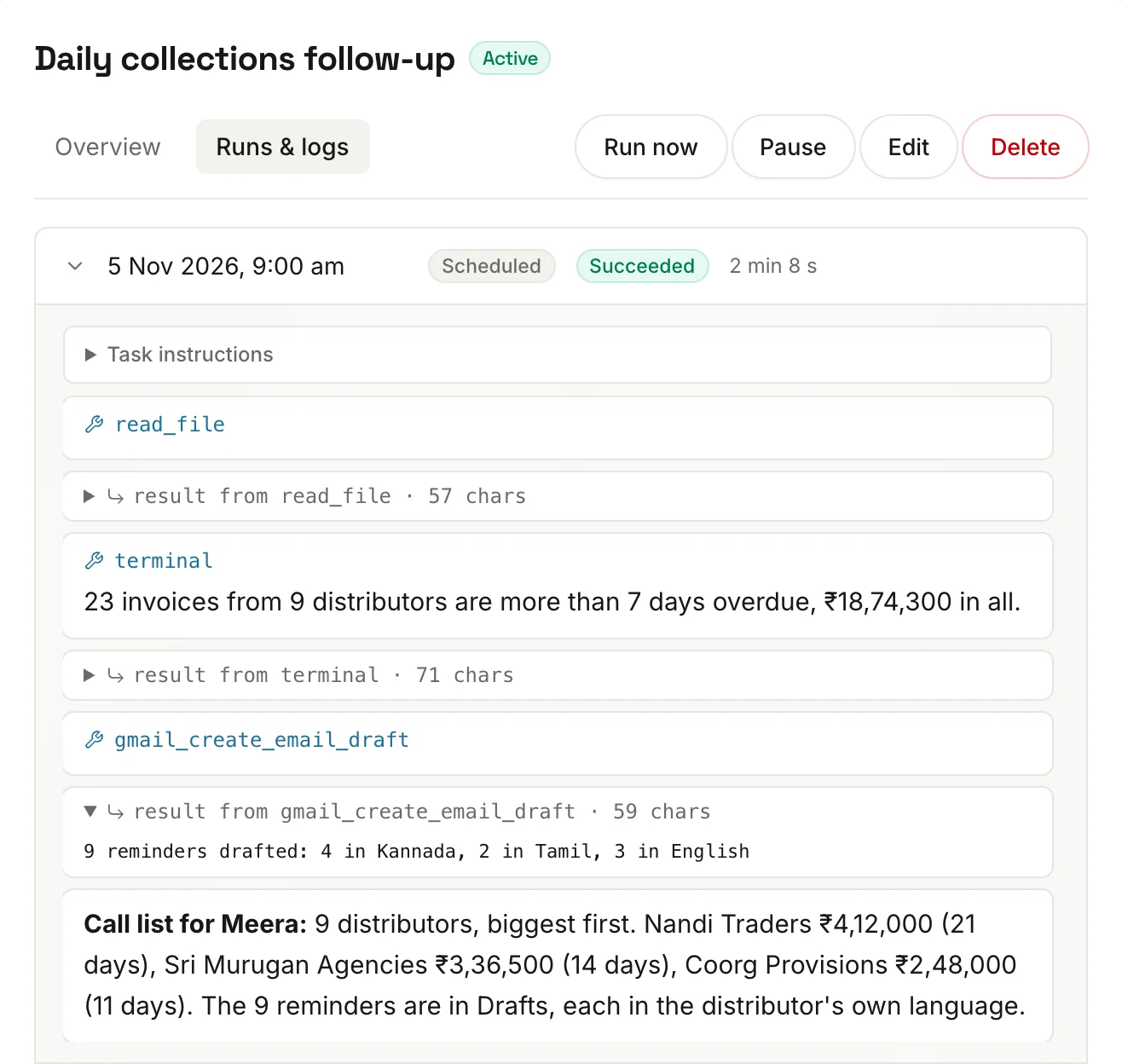
Any request can run daily, weekly or monthly and report back where you want it. You only look at what needs you.
Run one straight away, pause it or edit it
Open a task to see every run, with its full log
Or just ask your agent in chat to set one up
agent.acmefoods.in/schedules/tasks
Skills and automation
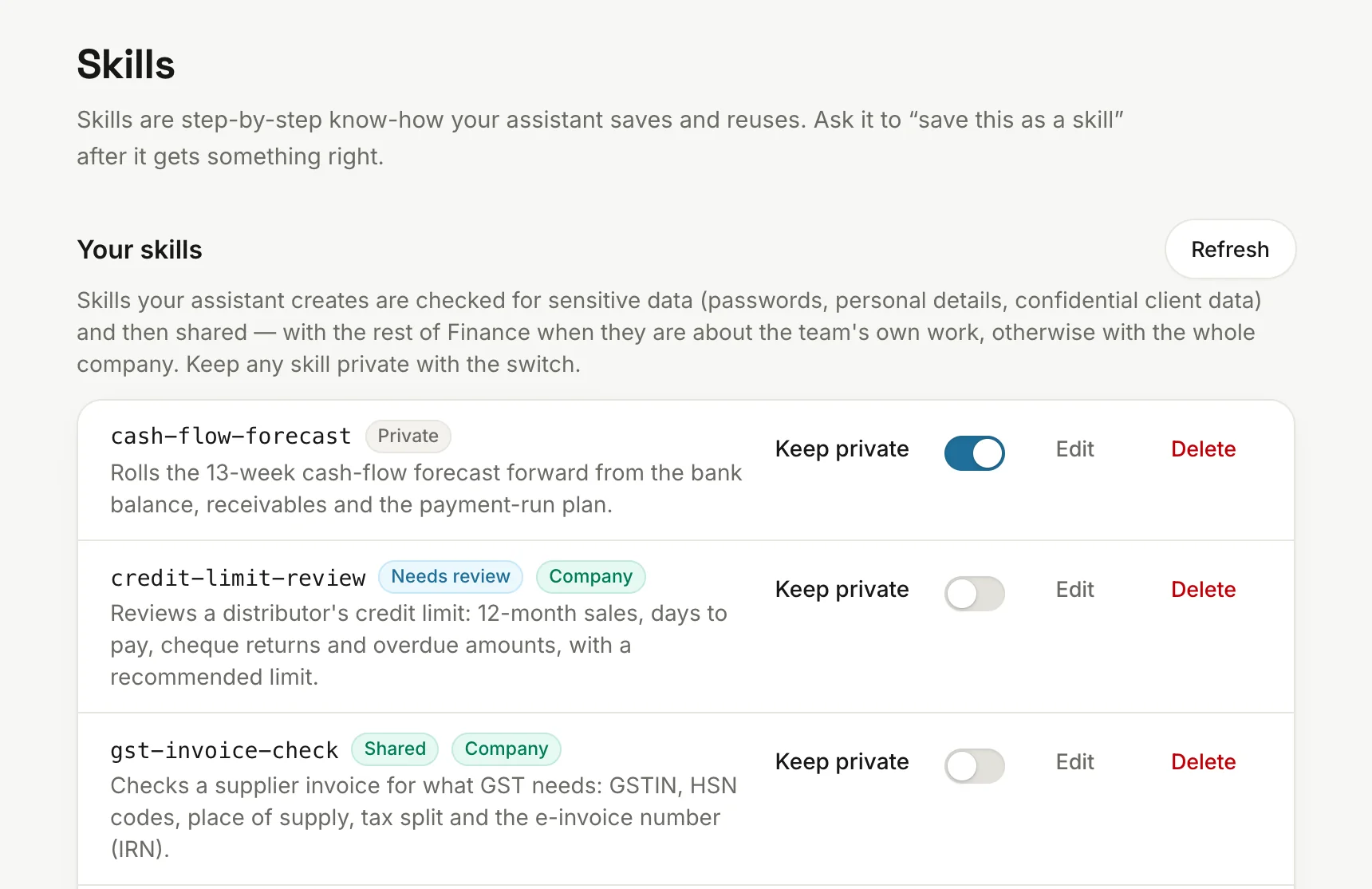
SkillsSkills“Save this as a skill” turns know-how into a recipe anyone can run. See every skill your agent has, and keep any of them private with one switch.
agent.acmefoods.in/skills
A skills library you controlA skills library you controlAdmins write official skills every agent gets. Shared skills are checked for secrets and personal data first, and can wait for an admin's approval.
agent.acmefoods.in/admin/knowledge/skills
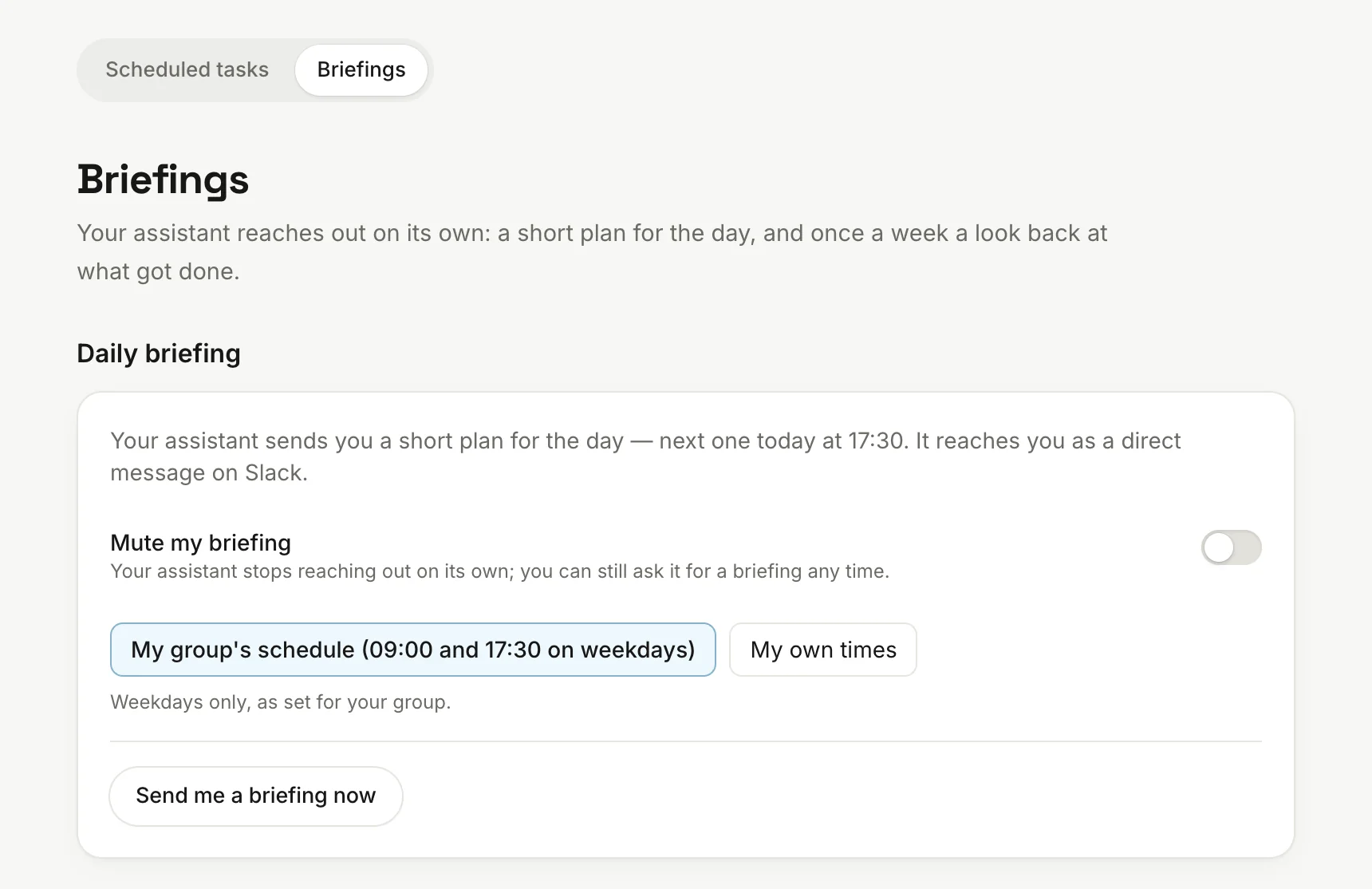
Daily briefingsDaily briefingsA daily note on what needs you, tied to your goals, on Slack, WhatsApp, Discord, email or the web. Ask for one now, mute them, or move them to a better time.
agent.acmefoods.in/schedules/briefings
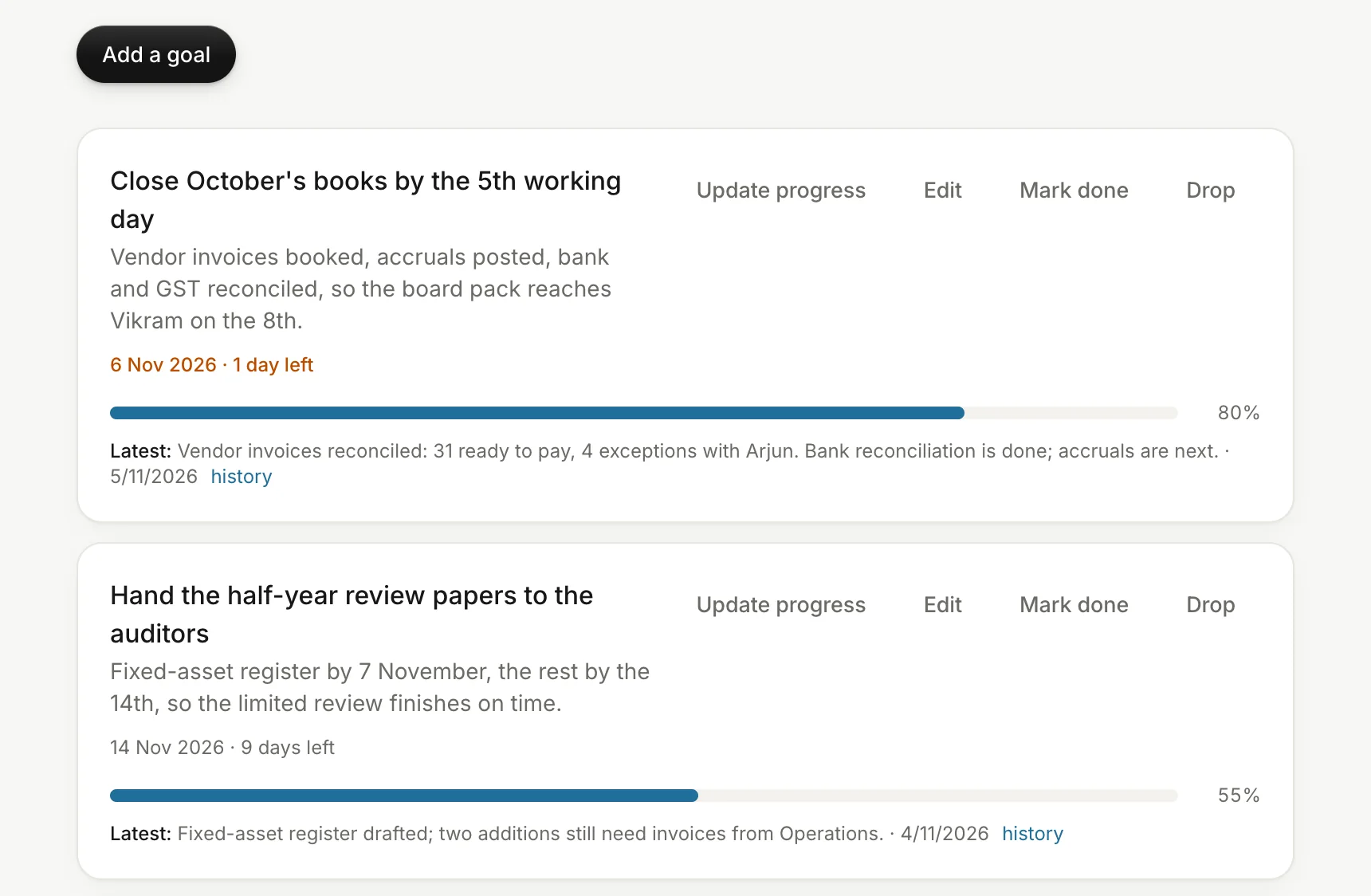
GoalsGoalsEach person sets goals with deadlines. Their agent checks in on them and looks back with them each week.
agent.acmefoods.in/goals
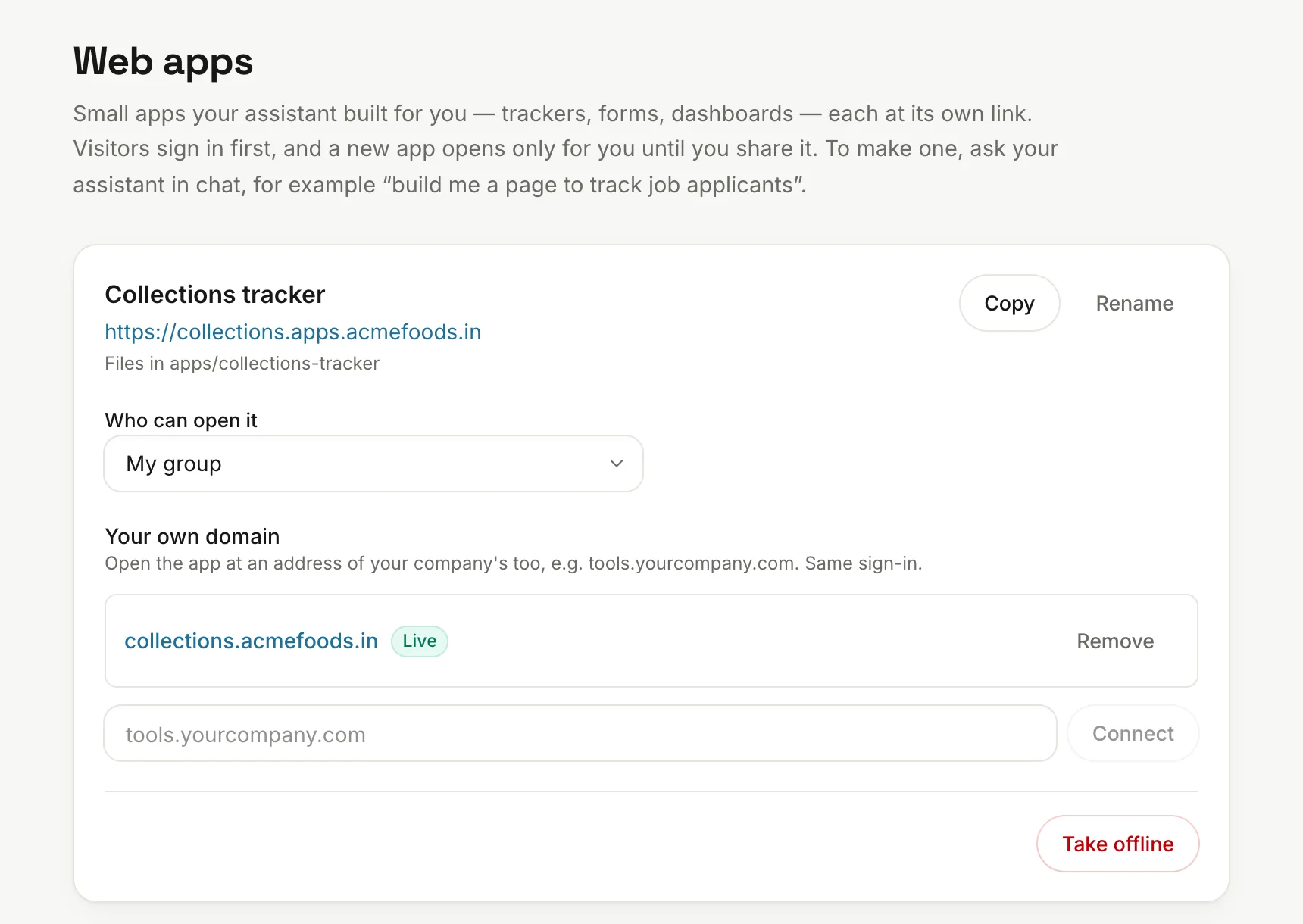
Web appsWeb appsAgents publish small internal apps, like a dashboard or a form, on your company's domain. They stay private to their owner until shared with a group, the company or, if allowed, anyone with the link. Any app can have its own domain too.
agent.acmefoods.in/web-apps
Every run on recordEvery run on recordEach task keeps its history, marked manual or scheduled, so you can see exactly what happened and when.
agent.acmefoods.in/schedules/tasks
Admin controls
The controls your admin will want.
Decide who gets what, see what it costs and what it saves, and make it look like your own product.
See the hours it saves
Your dashboard counts the time from the day you launch, so you can decide with numbers whether to roll out further.
Each finished task counts set minutes for its type of work
Employees confirm or correct the time it saved
See it by person, team and type of work, and export it
agent.acmefoods.in/admin/workspace/hours-saved
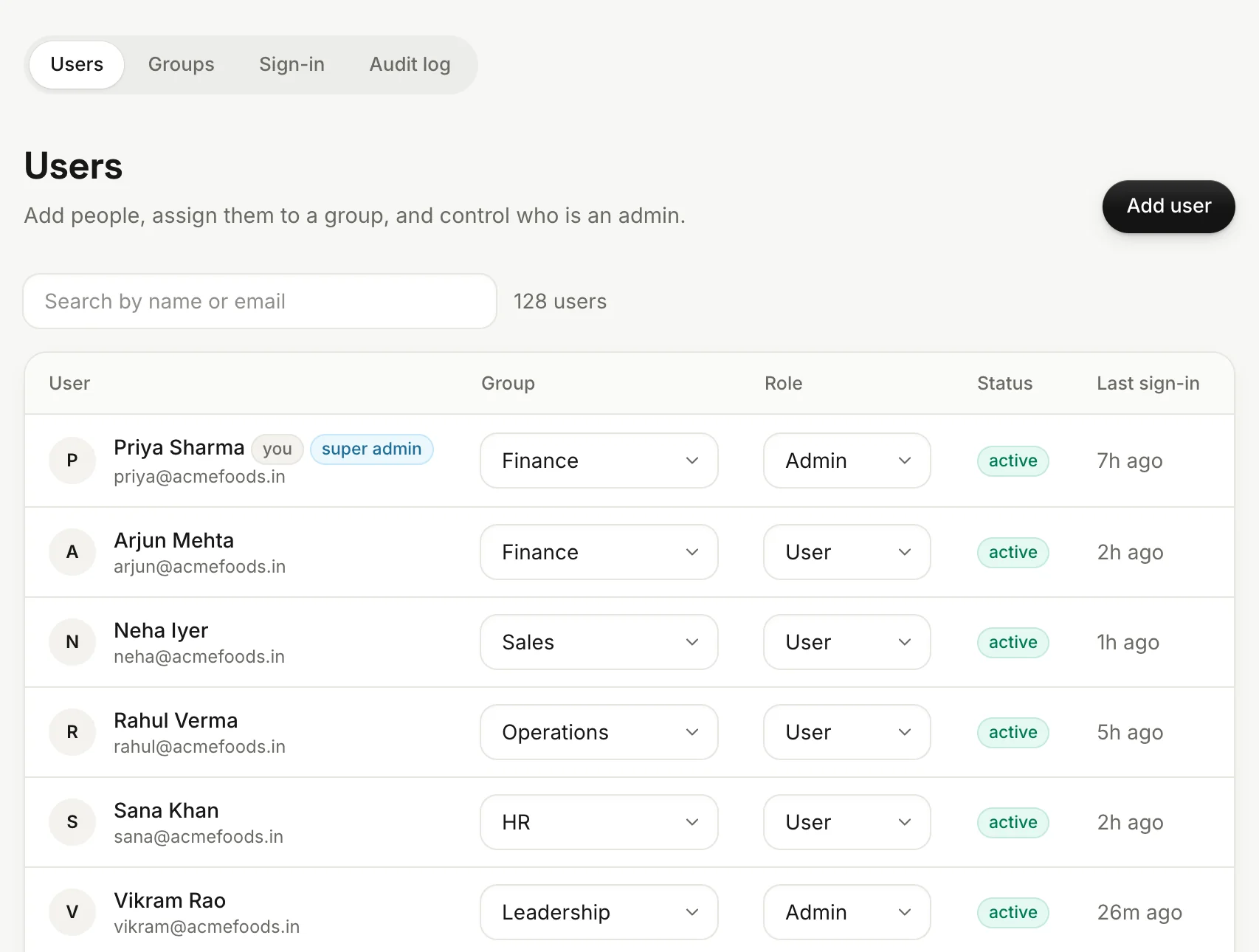
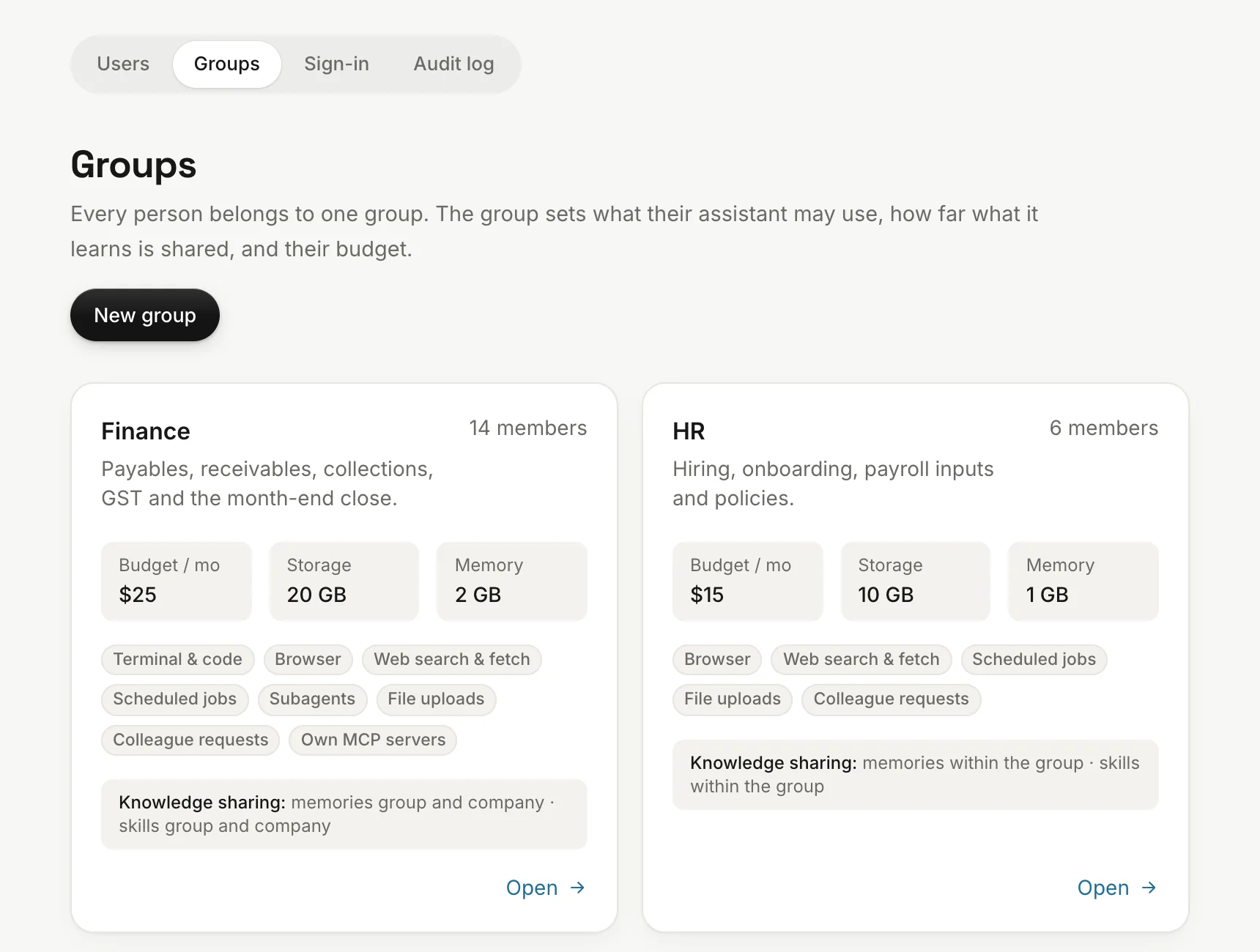
Decide what each group may do
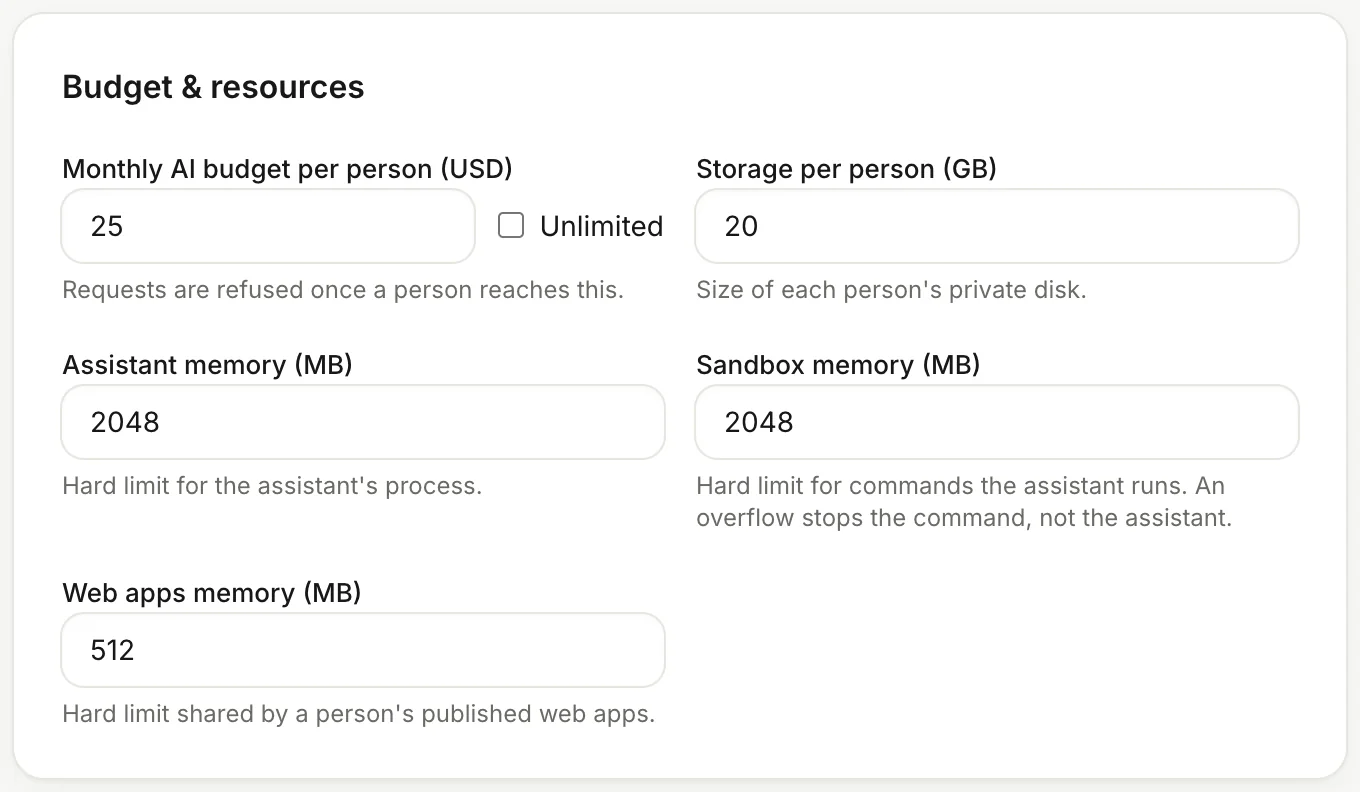
Per group: terminal, browser, web search, schedules, connected apps, chat apps, and memory and skill sharing. Changes reach that group's agents automatically.
Set budgets, disk and memory by group
Choose which apps and chat apps each group may use
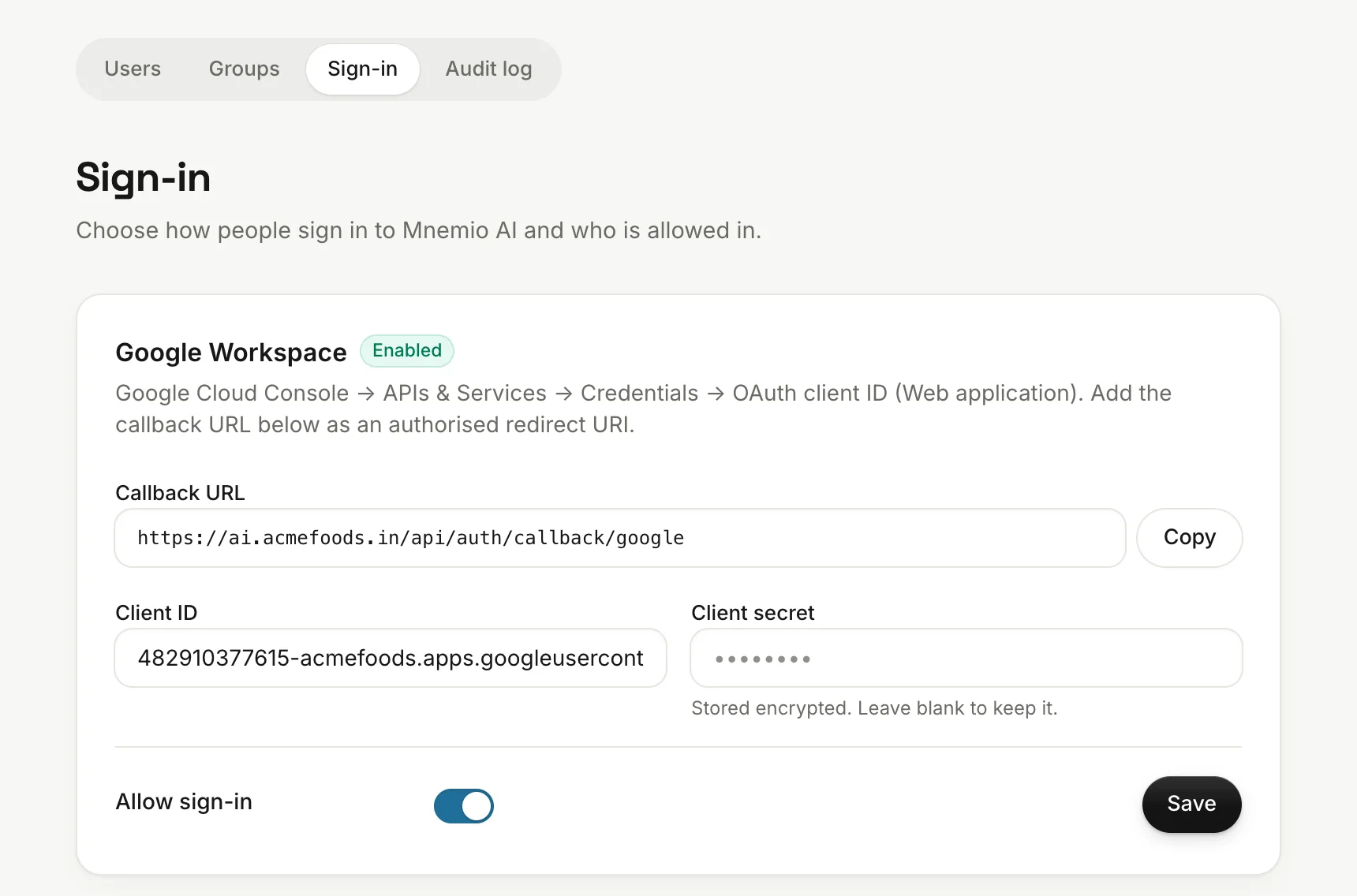
Sign-inSign-inGoogle or Microsoft sign-in, invite-only access and approved email domains. Password sign-in is optional, and off by default.
agent.acmefoods.in/admin/people/sso
Spend and value
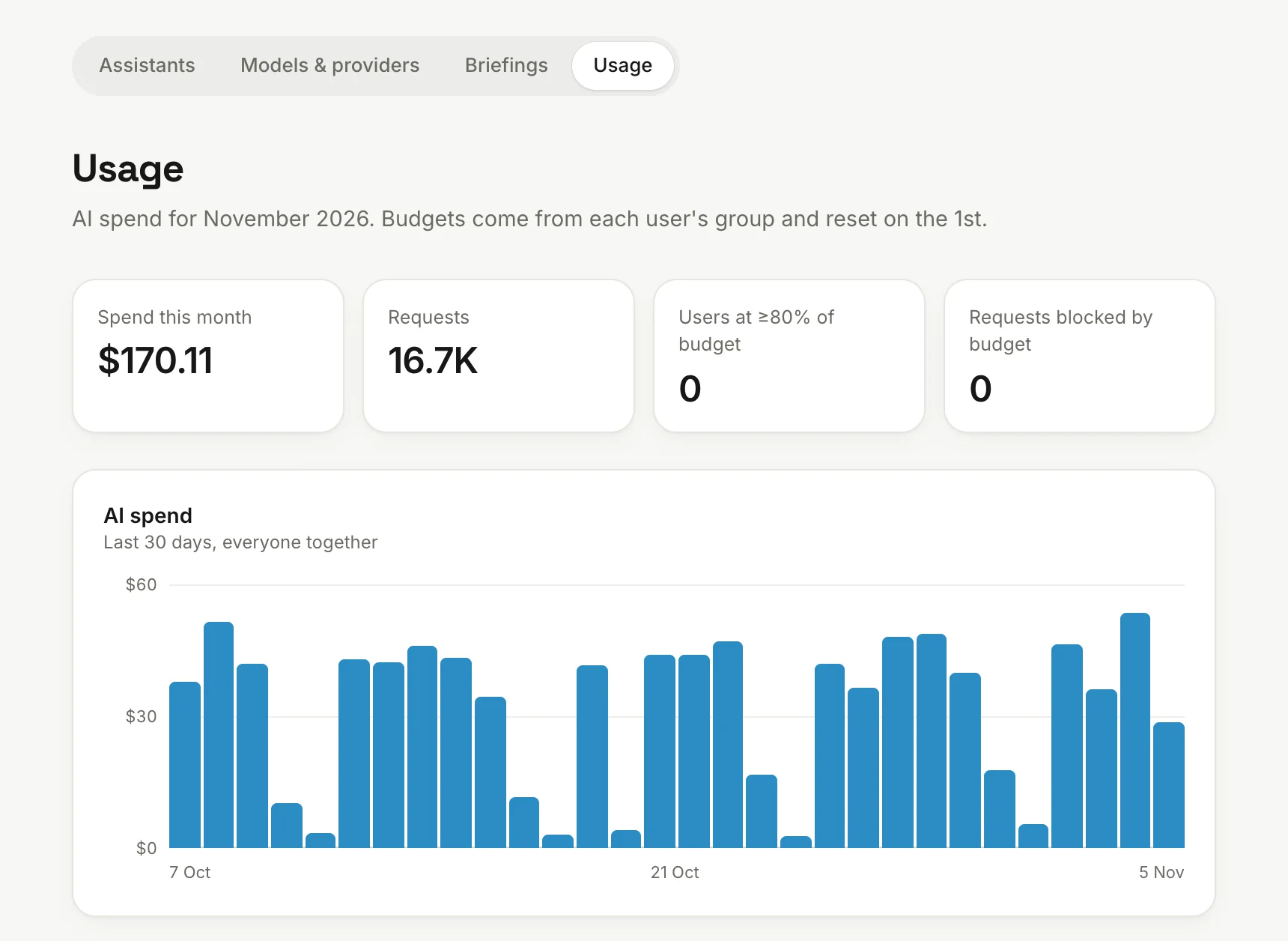
UsageUsageAI spend per person and per model this month. AI keys stay in the gateway, so no agent holds them.
agent.acmefoods.in/admin/assistants/usage
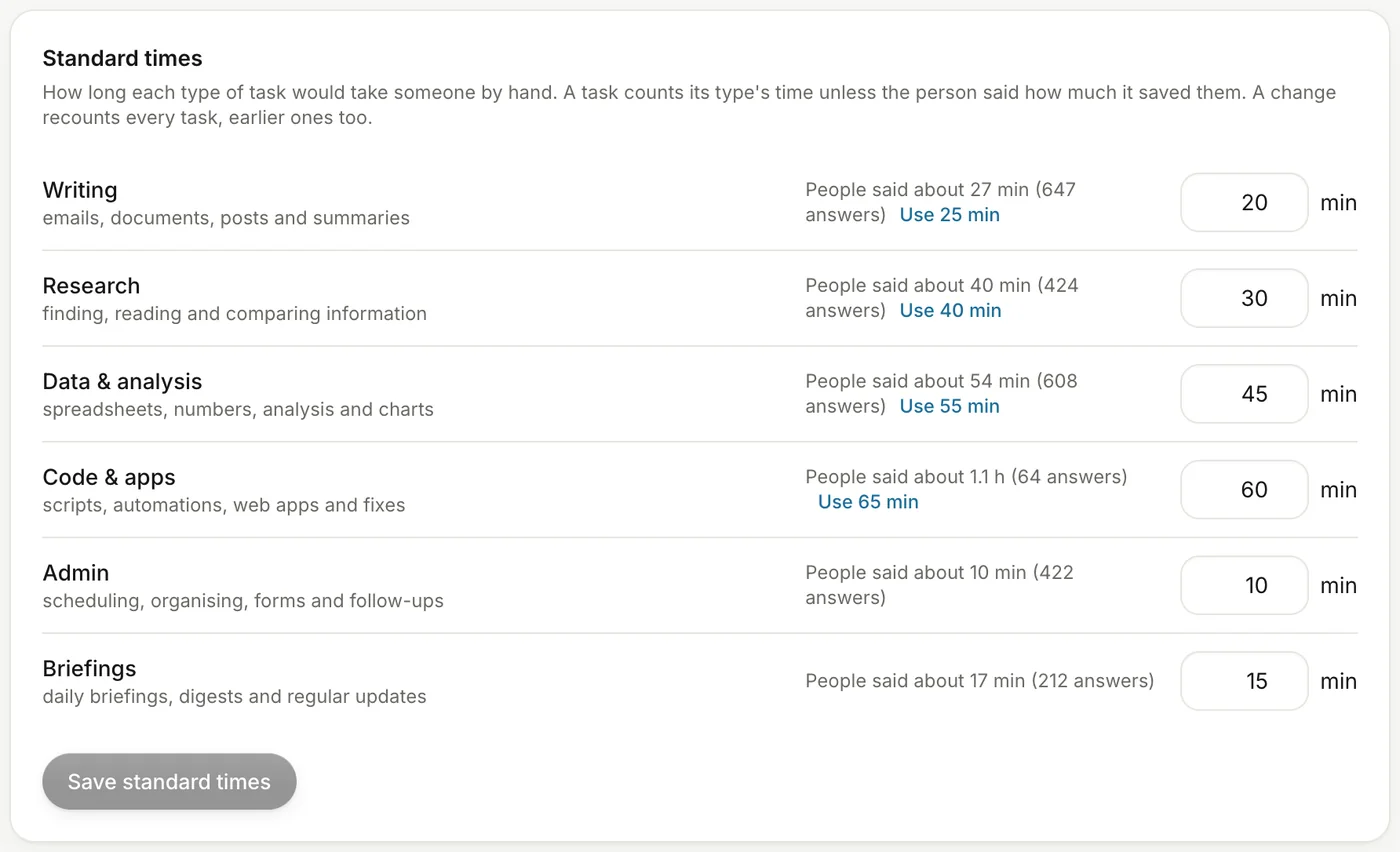
Standard timesStandard timesSet how many minutes each type of work counts for. People's answers show you when a number is off, and suggest a better one.
agent.acmefoods.in/admin/workspace/hours-saved
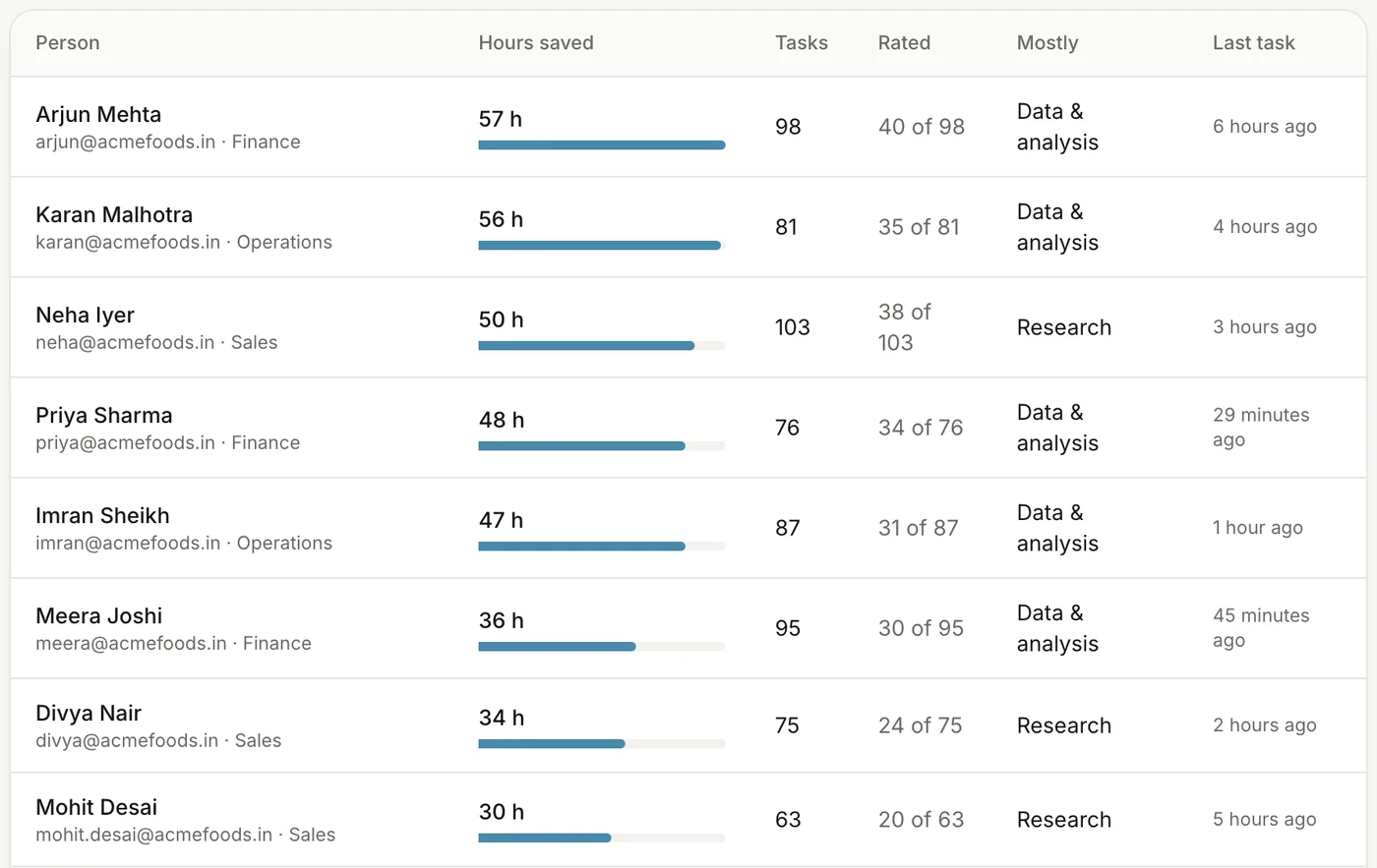
Hours per personHours per personSee who it saves the most time, what kind of work it does for them, and how many tasks they rated.
agent.acmefoods.in/admin/workspace/hours-saved
Agents and tools
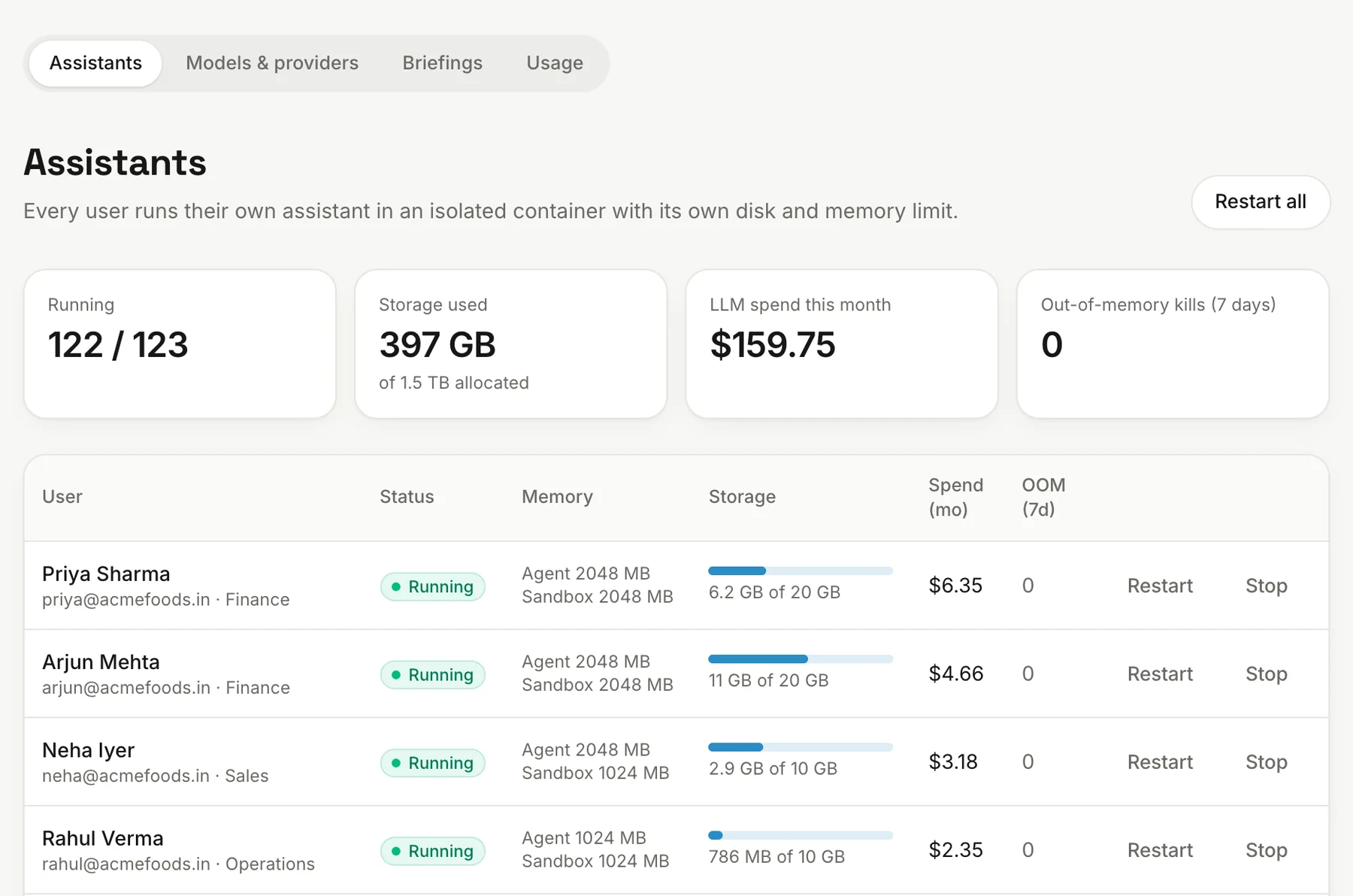
AssistantsAssistantsSee every agent's status, disk use and activity, and restart any of them.
agent.acmefoods.in/admin/assistants/list
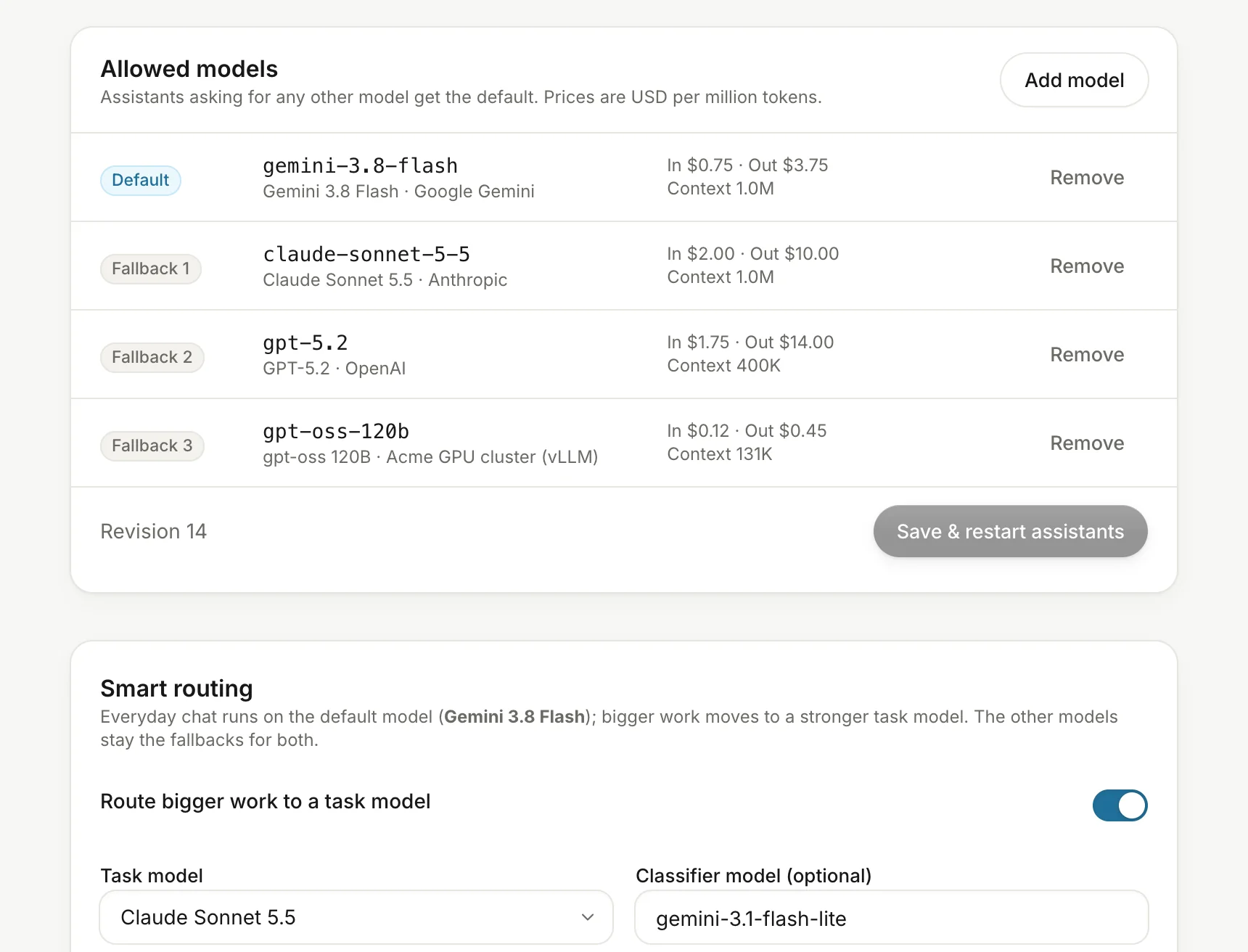
Models and providersModels and providersChoose the allowed AI models and their order. If the first one fails, the next is tried automatically. Pick separate models for background work like memory.
agent.acmefoods.in/admin/assistants/models
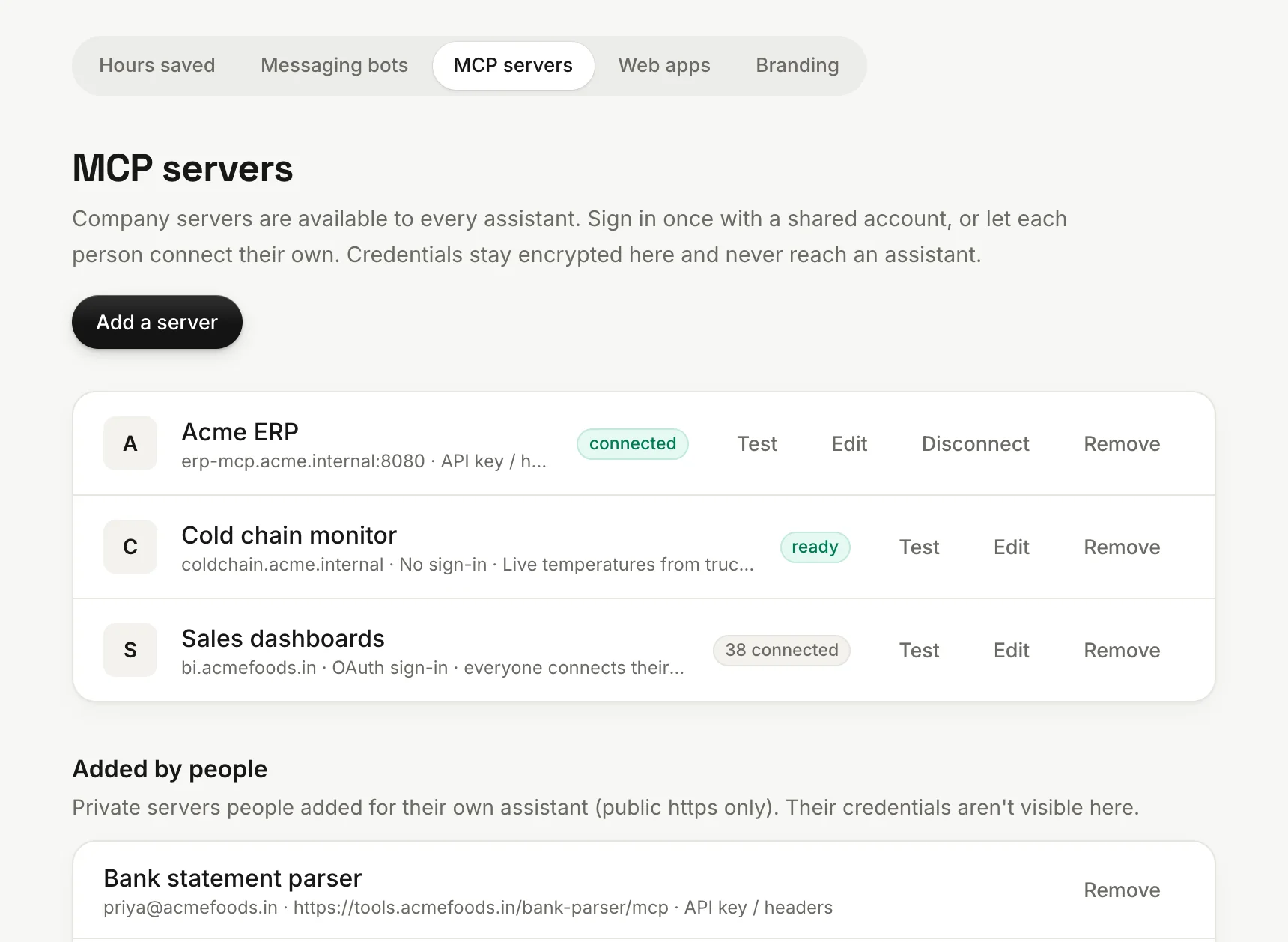
MCP serversMCP serversGive every agent your company's own tools, and see the servers people added themselves.
agent.acmefoods.in/admin/workspace/mcp
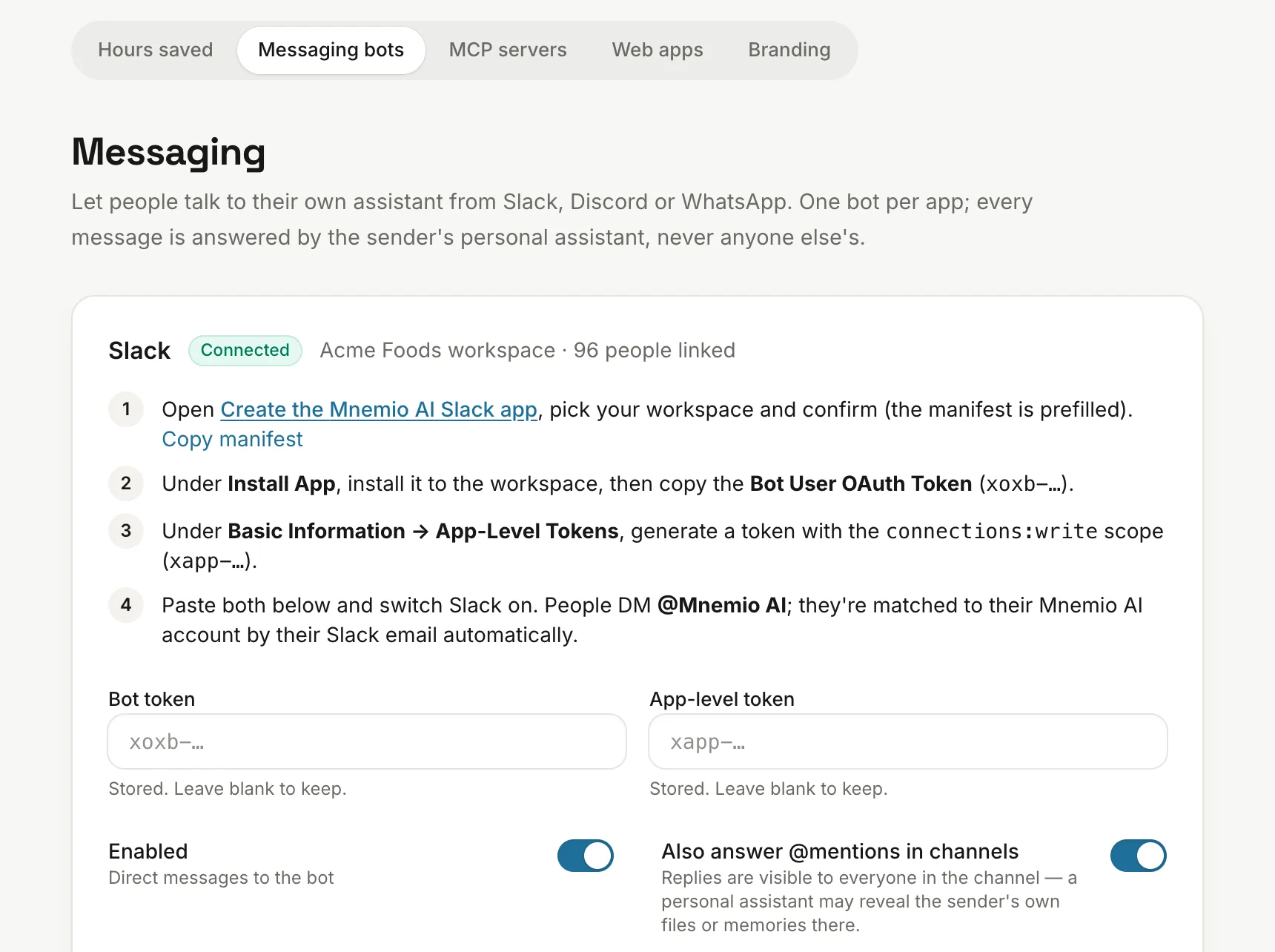
Messaging botsMessaging botsSet up Slack, Discord and WhatsApp with step-by-step instructions on the page. By default, only direct messages are answered.
agent.acmefoods.in/admin/workspace/messaging
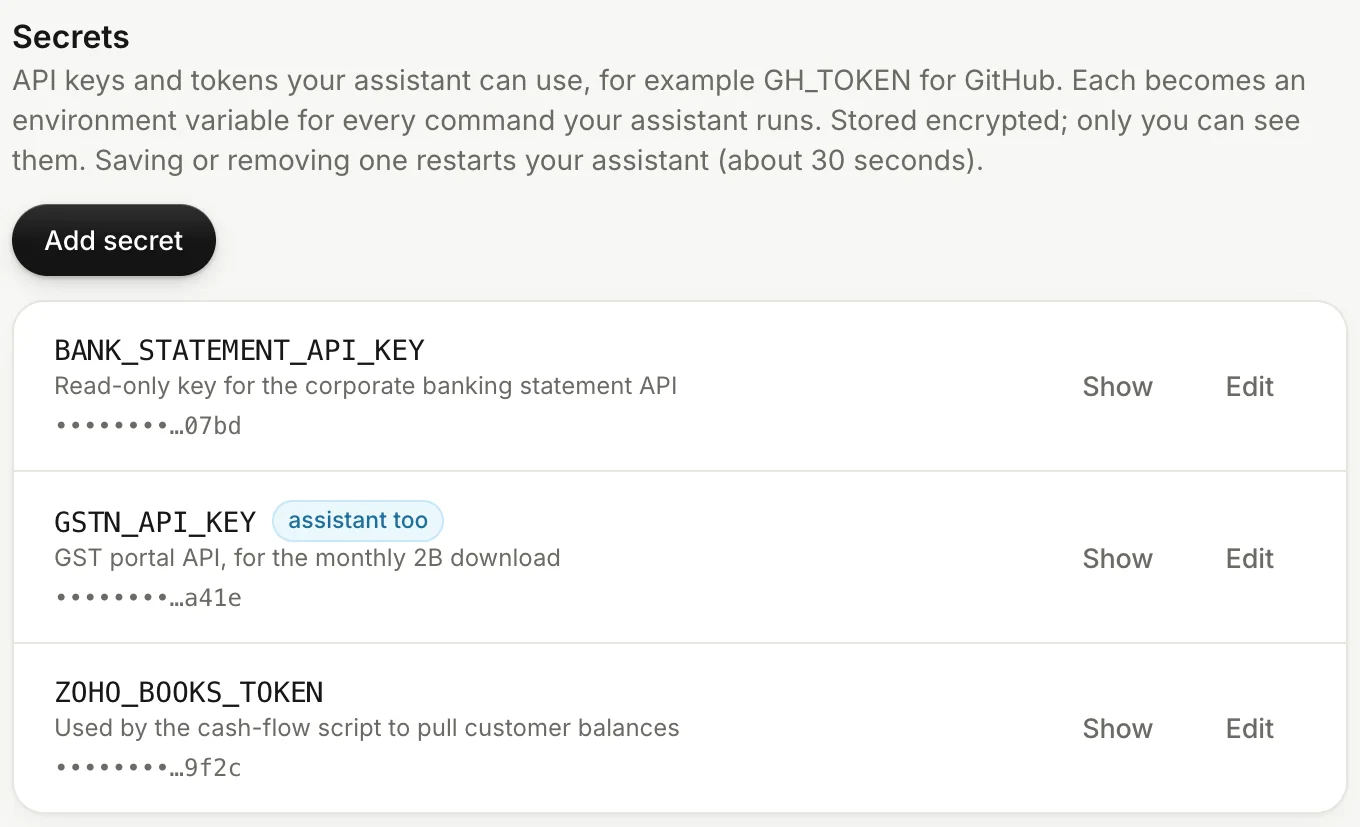
SecretsSecretsPrivate values like API keys, stored encrypted. Admins can't read them, and each person chooses what their agent may use.
agent.acmefoods.in/connections/developer
Records and brand
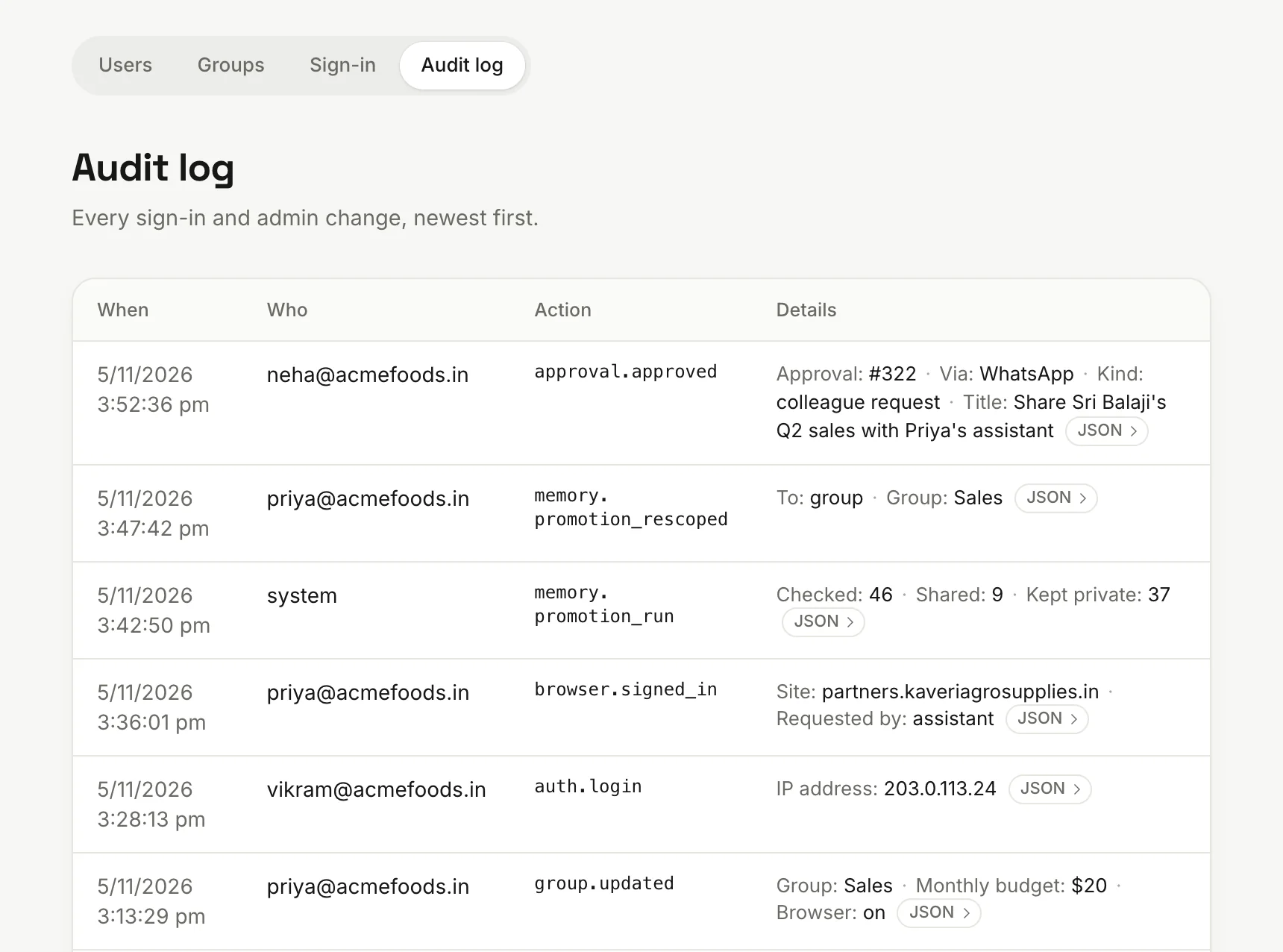
Audit logAudit logSign-ins, admin changes, approvals and sharing decisions, recorded with who, what and when.
agent.acmefoods.in/admin/people/audit
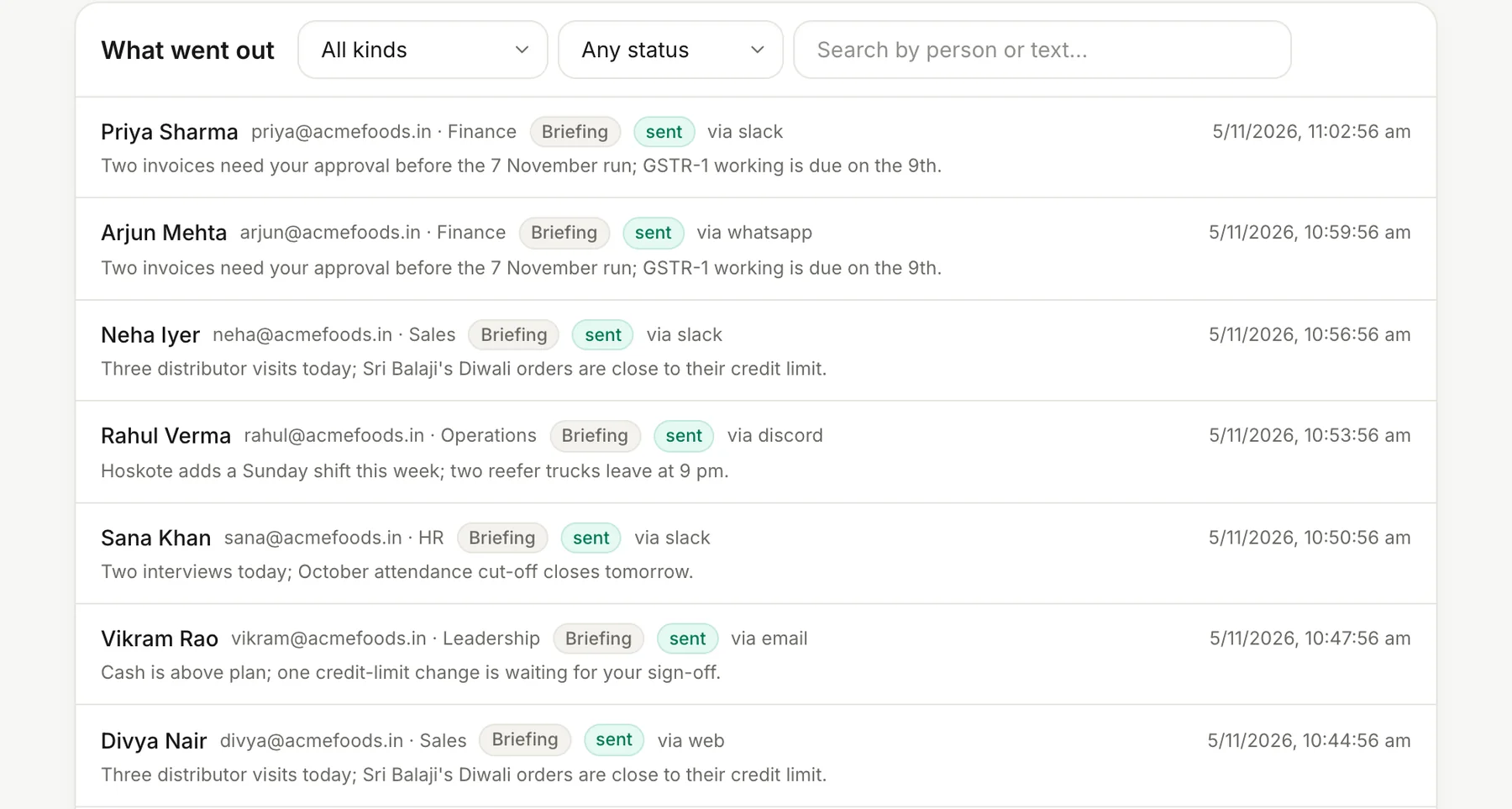
Briefings for everyoneBriefings for everyoneDecide what briefings lead with and when each group gets them, then see what went out to each person.
agent.acmefoods.in/admin/assistants/briefings
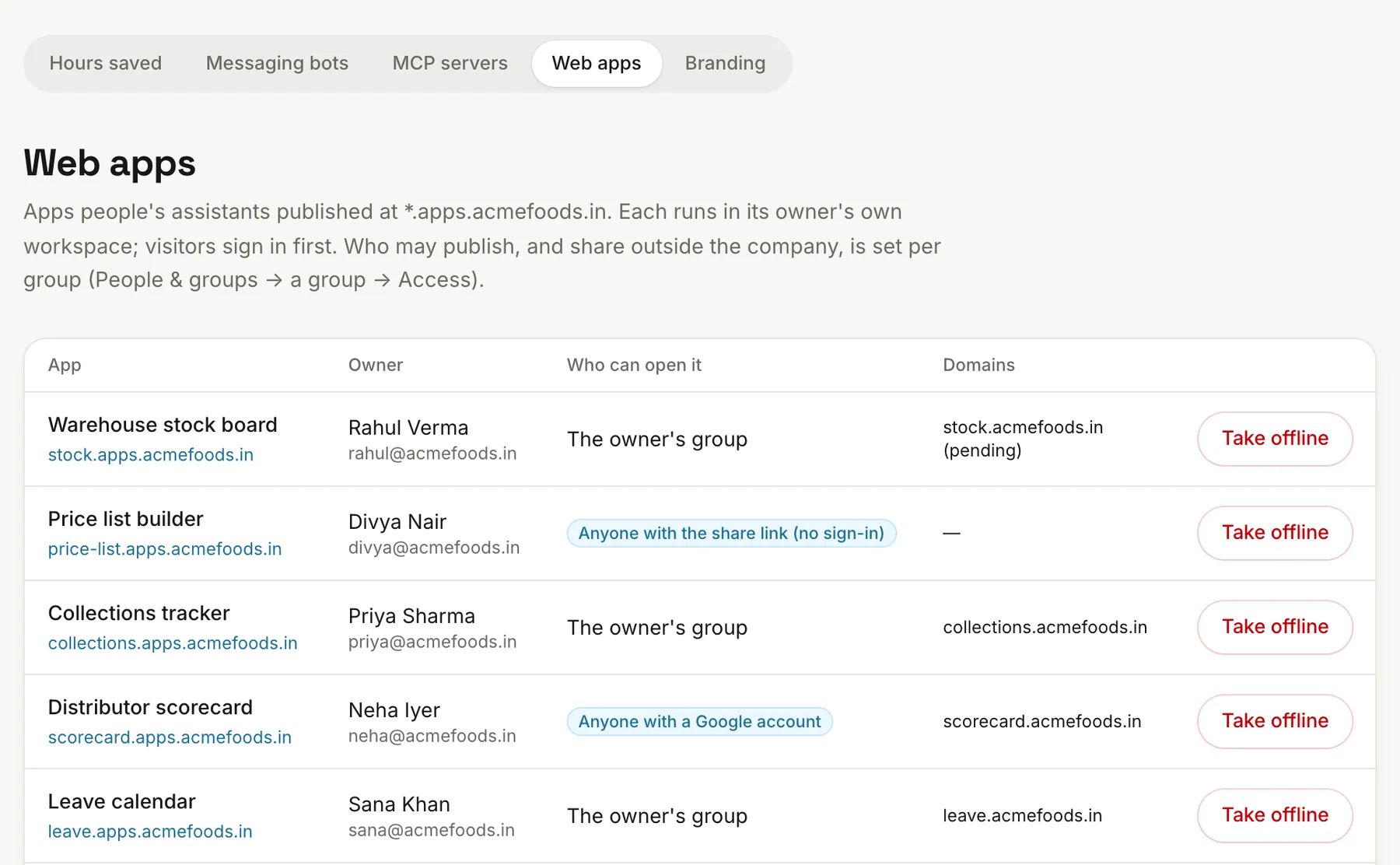
Web apps, company-wideWeb apps, company-wideSee every published app and who can open it, and take any of them offline.
agent.acmefoods.in/admin/workspace/web-apps
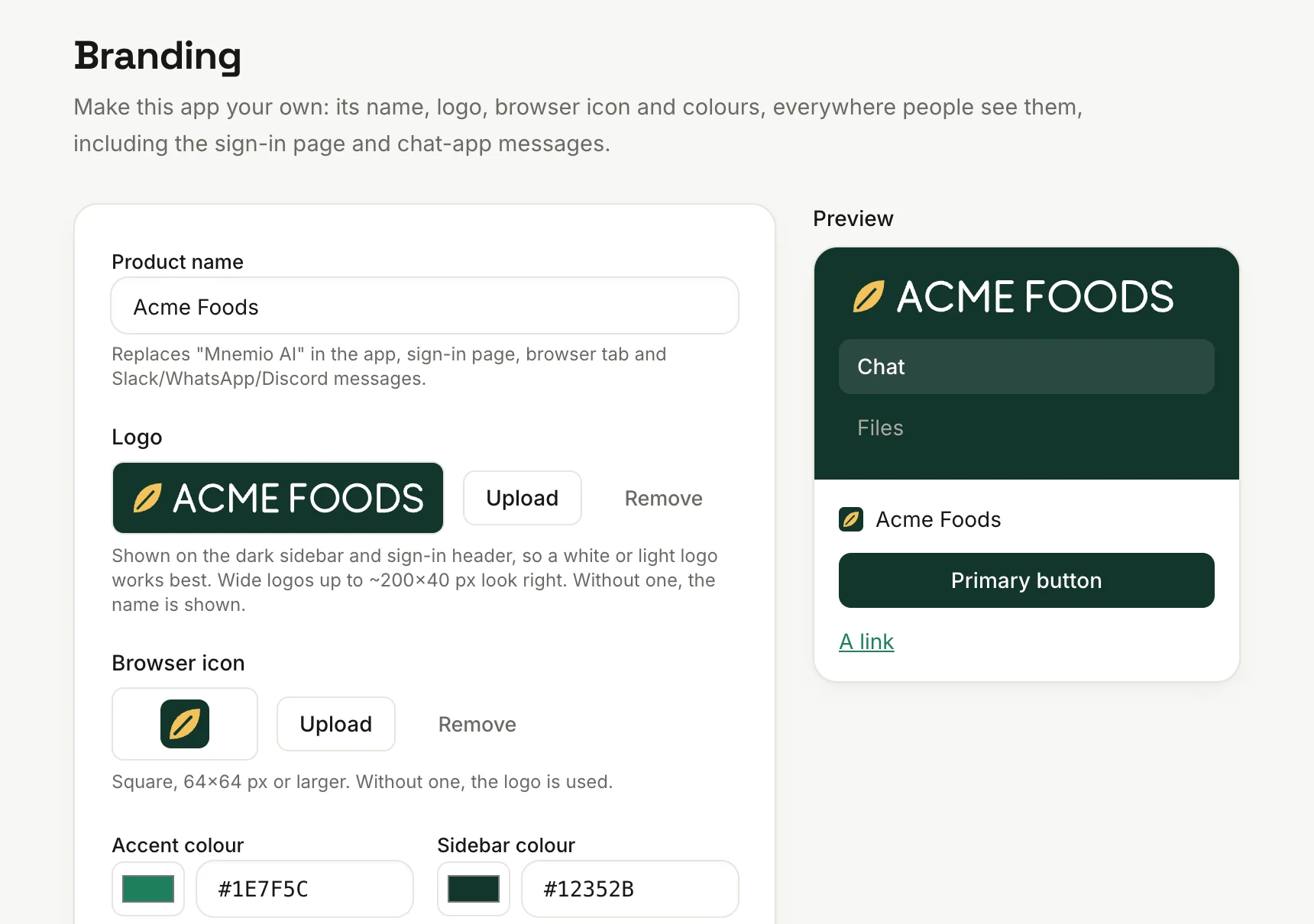
Your brandYour brandYour name, logo and colours in the app, on the sign-in page and in Slack, WhatsApp and Discord.
agent.acmefoods.in/admin/workspace/branding
Safety that's built in
One agent per personeach with its own disk, limits and keys
A locked-down networkagents can't reach your internal network or each other
Private foldersan agent only works inside its owner's workspace
AI keys stay out of agentsMnemio holds them and checks each model call
Every company gets its own copy of Mnemio. We do the install and set-up with you, and connect your sign-in and first apps.
One we run for you
For most firms: a private install that we host and run, with its own database and encryption keys. AI is included up to a fair-use limit.
In your cloud
For firms with 150 or more staff or regulated data: the same product and controls, in your own cloud account. You pay for your own AI and cloud.
On your servers and GPUs
For firms that want the agents and open AI models on their own hardware.
Questions
How it works, in detail.
What can each agent see?
Its own person's chats, files and memory, the apps that person connects, and the company knowledge shared with their group. One agent can't read another person's files, mail or memory. It can only ask, and the owner approves the answer.
What goes into the company brain?
Work knowledge that helps colleagues: client details, supplier terms, decisions and how things get done. Your admins write the rules in plain words. An AI applies them and rewrites what it shares without personal detail, and the default rules keep out personal matters, secrets and HR topics. What an agent reads in mail and connected apps never enters it. Admins can review everything shared, change who can recall it, or remove it.
What happens when someone leaves?
Disable their account and their sessions end at once. What they shared with their group or the company stays, and so do the skills they shared, so the team can keep using them. That's why we help teams save their key processes as shared skills from the start.
Which AI models does it use?
On the plan we host, AI is included up to a fair-use limit, and your admin chooses from the models we offer, such as Gemini, Claude and GPT, with a monthly budget for each group. In your own cloud you pay for your own AI, and you can also run open models on your own GPUs.
Where does it run?
Each company gets its own install, with its own database and encryption keys. Most firms use one we host and run. Firms with 150 or more staff or regulated data can deploy in their own cloud, or on their own servers and GPUs.
See it on one of your own workflows.
Thirty minutes. Bring the task that eats the most hours in your team, and we'll show you how an agent would run it.